Choosing agile project management software in 2026 means looking beyond generic task lists. Agile teams need tools that support backlog grooming, sprint planning, Scrum and Kanban workflows, dependency management, and reporting that reflects velocity, cycle time, and flow. The market now includes dedicated agile platforms built for software teams, broader work-management suites with agile capabilities, and enterprise platforms designed for scaled frameworks such as SAFe.
This guide compares 20 platforms with meaningful agile functionality, including Scrum boards, Kanban boards, backlog management, sprint planning, agile reporting, or scaled-agile portfolio management. Each tool serves a different type of team, so the comparison focuses on documented capabilities, pricing, strengths, limitations, and use cases rather than declaring one universal winner.
Top 20 Agile Project Management Software in 2026
1. Jira Software
Jira Software is Atlassian’s issue-tracking and project-management platform, with Scrum and Kanban built directly into its core workflow. It gives software teams a structured environment for managing product backlogs, estimating stories, planning sprints, tracking dependencies, and reviewing delivery performance. Teams can use burndown and velocity reports to monitor sprint progress, while Advanced Roadmaps provides cross-team planning and dependency visibility on higher-tier plans. Jira also connects with Confluence, Bitbucket, and thousands of third-party applications through the Atlassian Marketplace, making it suitable for teams whose agile workflow extends beyond project planning.
Agile capabilities:
- Native Scrum and Kanban boards
- Backlog grooming and prioritization
- Story-point estimation
- Sprint planning and tracking
- Burndown and velocity reporting
- Advanced Roadmaps on Premium and above
- Cross-team dependency management
Key features:
- Configurable Scrum and Kanban workflows
- Backlog and sprint management
- Automation rules
- Custom dashboards and reports
- Atlassian Marketplace integrations
- Confluence and Bitbucket integration
- Atlassian Intelligence and Rovo features
Pros:
- Comprehensive Scrum and Kanban functionality
- Extensive integration ecosystem
- Supports small teams and large enterprises
- Strong connection between development and project management
Cons:
- Configuration can take time
- Some advanced capabilities require Premium
- Marketplace applications can increase overall costs
- Interface can feel complex for non-technical users
Pricing:
- Free for up to 10 users
- Standard: $7.16/user/month
- Premium: $12.48/user/month
- Enterprise: Custom pricing
Best for: Software development teams using Scrum or Kanban that need detailed agile planning and reporting.
2. Azure DevOps Boards
Azure DevOps Boards provides Microsoft’s agile planning environment within Azure DevOps. It combines Scrum and Kanban planning with Microsoft’s broader development ecosystem, allowing teams to connect work items with Git repositories, pull requests, pipelines, and deployments. Teams can organize work using Epics, Features, User Stories, Tasks, and Bugs while using sprint backlogs, capacity planning, burndown charts, and cumulative flow diagrams to monitor delivery. This makes it particularly relevant for development organizations already working with Microsoft development and DevOps tools.
Agile capabilities:
- Scrum and Kanban boards
- Sprint backlogs
- Capacity planning
- Burndown charts
- Cumulative flow diagrams
- Dependency tracking
- Git and CI/CD integration
Key features:
- Customizable work-item types
- Sprint planning
- Team dashboards
- Work-item queries
- Git branch and pull-request linking
- Azure Pipelines integration
Pros:
- Strong connection between planning and development
- Free access for the first five Basic users
- Combines planning, source control, and CI/CD
- Strong Microsoft ecosystem integration
Cons:
- Primarily designed for technical teams
- Interface can feel less modern than newer tools
- Advanced test management costs more
- Advanced reporting can require Power BI
Pricing:
- Stakeholder access: Free
- Basic: Free for the first 5 users, then $6/user/month
- Basic + Test Plans: $52/user/month
Best for: Development teams already using Microsoft Azure, Git, and Azure Pipelines.
3. Linear
Linear is an issue-management and product-development platform designed around speed, consistency, and a focused workflow. Instead of traditional sprints, Linear uses Cycles, which function as recurring time-boxed planning periods and automatically handle unfinished work. Teams can combine Cycles with projects, initiatives, backlogs, roadmaps, and Kanban-style workflows to manage product development from individual issues through larger strategic initiatives. Its GitHub and GitLab integrations also connect planning activity with development work.
Agile capabilities:
- Cycle-based sprint planning
- Kanban-style workflows
- Backlog management
- Issue prioritization
- Project and initiative planning
- Velocity and cycle-time analytics on Business+
Key features:
- Recurring Cycles
- Keyboard-driven issue management
- Project and initiative roadmaps
- GitHub and GitLab integrations
- Linear Insights
- Slack integrations
Pros:
- Fast, focused workflow
- Minimal configuration
- Strong product and engineering workflow
- Useful development integrations
Cons:
- Less customizable than Jira
- No self-hosted deployment
- Advanced analytics require higher tiers
- Less suited to teams that need extensive custom workflows
Pricing:
- Free: up to 10 users and 250 issues
- Basic: $10/user/month annually
- Business: $16/user/month annually
- Enterprise: Custom
Best for: Product and engineering teams that want a focused agile workflow with minimal administrative overhead.
4. GitHub Projects
GitHub Projects adds project planning directly to GitHub Issues, allowing development teams to manage work without moving to a separate project-management platform. Teams can use table, board, and roadmap views, create custom fields, and automate actions based on issue and pull-request activity. Because Projects sits alongside GitHub repositories, issues can connect directly to branches, commits, and pull requests. Its simplicity also creates limitations: formal Scrum concepts such as native sprints, story points, and velocity reporting are not built into the platform in the same way they are in dedicated Scrum tools.
Agile capabilities:
- Kanban-style boards
- Backlog management
- Custom fields
- Roadmap views
- Issue automation
- Issue-to-code linking
Key features:
- Table, board, and roadmap views
- Saved views
- Custom fields
- GitHub automation
- Insights charts
- Pull-request and commit integration
- GitHub Copilot integration
Pros:
- Works directly inside GitHub
- Strong issue-to-code traceability
- Free for public and private repositories
- Low setup overhead
Cons:
- No native sprint object
- No native story-point system
- Limited Scrum reporting
- Better suited to developers than broader business teams
Pricing:
- Free
- Team: $4/user/month
- Enterprise: $21/user/month
Best for: Engineering teams that already manage development work in GitHub and need lightweight project planning.
5. GitLab
GitLab combines agile planning with source control, CI/CD, security, and DevSecOps workflows. Its Issue Boards provide Kanban-style planning, while Iterations provide sprint-style planning on higher tiers. Teams can organize larger work through Epics and Roadmaps and use Value Stream Analytics to measure cycle time and delivery flow. This integration means teams can connect planning decisions with development and deployment activity within one platform.
Agile capabilities:
- Kanban Issue Boards
- Iterations for sprint planning
- Epics and Roadmaps
- Burnup charts
- Value Stream Analytics
- CI/CD integration
Key features:
- Issue Boards
- Iterations
- Epics
- Roadmaps
- Merge request integration
- GitLab Duo AI
Pros:
- Combines planning and DevSecOps
- Strong flow and cycle-time reporting
- Development work remains connected to planning
- Integrated CI/CD environment
Cons:
- Some agile features require Premium
- Paid plans are billed annually
- Ultimate pricing requires a sales conversation
- Full functionality can be more than smaller teams need
Pricing:
- Free
- Premium: $29/user/month billed annually
- Ultimate: Custom
Best for: Engineering organizations that want agile planning integrated with source control, CI/CD, and security workflows.
6. Shortcut
Shortcut focuses on software development teams that need structured Scrum and Kanban workflows without extensive configuration. Teams can organize work into Stories, Iterations, and Epics while using story points and velocity reporting to monitor delivery. Its documentation features also allow teams to keep specifications and project information close to their development workflow. GitHub, GitLab, and Bitbucket integrations connect project work with branches and pull requests.
Agile capabilities:
- Scrum and Kanban workflows
- Iteration-based sprint planning
- Story-point estimation
- Velocity reporting
- Epic roadmaps
- Cross-team planning
Key features:
- Custom workflows
- Automatic story rollover
- Epics
- Collaborative documentation
- GitHub, GitLab, and Bitbucket integrations
Pros:
- Purpose-built for software teams
- Less configuration than highly customizable platforms
- Strong Scrum workflow
- Clean project and documentation structure
Cons:
- Smaller integration ecosystem than Jira
- Primarily focused on technical teams
- Advanced permissions require higher tiers
- Smaller enterprise ecosystem
Pricing:
- Free
- Team: $8.50/user/month annually
- Business: $12/user/month annually
- Enterprise: Custom
Best for: Software teams that want structured Scrum and Kanban capabilities without extensive configuration.
7. Zoho Sprints
Zoho Sprints is a dedicated agile project-management platform within the Zoho ecosystem. It supports Scrum and Kanban workflows through backlogs, story points, iterations, sprint boards, velocity charts, and sprint activity reports. Teams can also connect Sprints with other Zoho applications and third-party development tools. Its low entry price makes it accessible to smaller teams that need dedicated agile functionality without moving to a higher-cost enterprise platform.
Agile capabilities:
- Scrum and Kanban boards
- Backlog management
- Story-point estimation
- Sprint planning
- Velocity reporting
- Sprint activity reporting
- Epic management
Key features:
- Drag-and-drop backlog
- Custom sprint statuses
- Parallel iterations
- Swimlanes
- Budget and expense tracking
- Risk and opportunity management
- Zoho integrations
Pros:
- Low starting price
- Dedicated agile functionality
- Useful Scrum reporting
- Fits well within the Zoho ecosystem
Cons:
- Smaller third-party ecosystem
- Less established than Jira
- Reporting interface may require more setup
- Enterprise adoption can involve additional evaluation
Pricing:
- Free: up to 3 users
- Starter: $1/user/month
- Elite: $3/user/month
- Premier: $6/user/month
- Enterprise: Custom
Best for: Small and mid-sized Scrum teams that prioritize low cost and dedicated agile functionality.
8. ClickUp
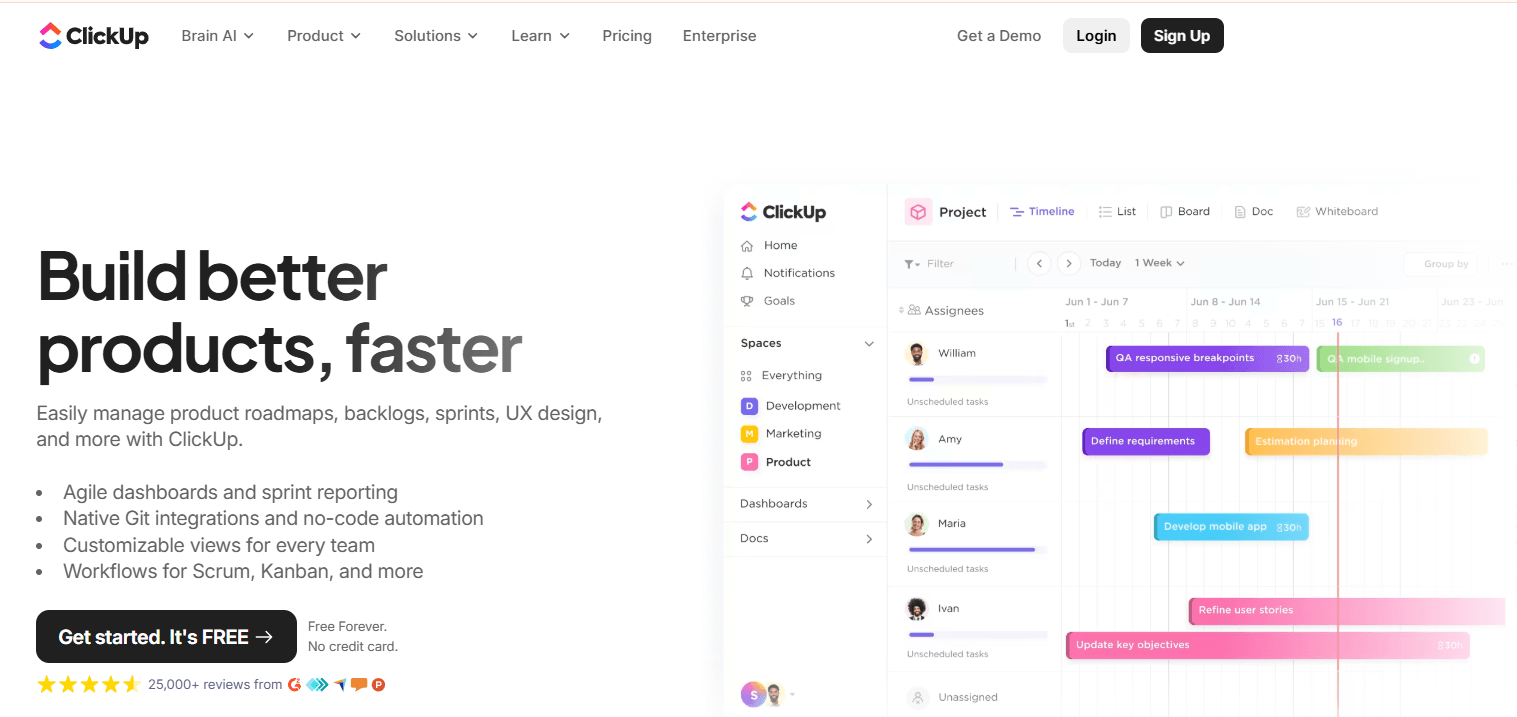
ClickUp combines agile project management with documents, goals, time tracking, dashboards, and general work management. Its Sprints ClickApp adds sprint points, velocity tracking, and Scrum-oriented reporting to the platform’s broader task-management environment. Teams can switch between Scrum and Kanban-style views while using Docs, Whiteboards, Gantt charts, and Workload views for related planning activities. This makes ClickUp particularly useful for organizations that want engineering work to sit alongside other departments in the same platform.
Agile capabilities:
Scrum and Kanban views
Sprint points
Velocity tracking
Backlog management
Epic hierarchies
Sprint reporting on higher tiers
Key features:
- Sprints ClickApp
- Gantt and Workload views
- Automation
- Whiteboards
- Goals and OKRs
- Docs
- Brain AI
Pros:
- Combines agile and general work management
- Strong automation
- Includes documentation and goals
- Supports cross-functional workflows
Cons:
- Advanced sprint reporting requires Business
- Free storage is limited
- AI costs extra
- Large feature set can increase configuration requirements
Pricing:
- Free Forever
- Unlimited: $7/user/month annually
- Business: $12/user/month annually
- Enterprise: Custom
- Brain AI: $9/user/month add-on
Best for: Cross-functional organizations that want agile development alongside general project and work management.
9. Asana
Asana approaches agile project management from a broader work-management perspective. Its Board view supports Kanban-style workflows, while Timeline, Portfolios, Goals, and Workflow Builder help teams connect individual tasks with broader projects and organizational priorities. Unlike dedicated Scrum platforms, Asana does not provide native backlog, story-point, or burndown objects. Teams that follow lightweight Kanban can therefore use Asana effectively, while formal Scrum teams may need custom fields and workflows to reproduce their preferred ceremonies.
Agile capabilities:
- Kanban-style Board view
- Custom workflow fields
- Timeline planning
- Portfolio management
- Workflow automation
- Goals
Key features:
- Board views
- Timeline
- Workflow Builder
- Portfolios
- Goals
- Time tracking on Advanced
- Rules
Pros:
- Accessible for technical and non-technical users
- Strong cross-team portfolio management
- Large integration ecosystem
- Useful automation
Cons:
- No native Scrum backlog
- No native story-point system
- No native burndown or velocity charts
- Free plan is limited to 2 users for new accounts
Pricing:
- Personal: Free for up to 2 users
- Starter: $10.99/user/month annually
- Advanced: $24.99/user/month annually
- Enterprise: Custom
Best for: Cross-functional teams using lightweight Kanban alongside marketing, operations, design, or other business workflows.
10. monday dev
monday dev adapts monday.com’s visual work-management environment for product and engineering teams. Teams can manage backlogs, sprints, bugs, dependencies, and development workflows using the same board-based interface available across monday.com. Organizations already using monday.com for marketing, operations, or CRM can keep engineering work in the same ecosystem. Its agile reporting is less specialized than dedicated Scrum platforms, but its visual interface and automation can support teams that want a broader work-management environment.
Agile capabilities:
- Scrum-style sprint boards
- Kanban workflows
- Backlog management
- Epic hierarchies
- Bug tracking
- Dependency management
Key features:
- Sprint boards
- Backlog boards
- Bug-tracking templates
- Dependency columns
- Automation recipes
- Cross-team dashboards
- Sidekick AI
Pros:
- Familiar interface for monday.com users
- Strong visual workflow
- Useful automation
- Works across product and business teams
Cons:
- No free monday dev tier
- Three-seat minimum
- Automation starts at higher tiers
- Agile reporting is less specialized than dedicated Scrum platforms
Pricing:
- Basic: $9/seat/month annually
- Standard: $12/seat/month annually
- Pro: $20/seat/month annually
- Enterprise: Custom
- Three-seat minimum applies
Best for: Product and engineering teams already using monday.com across other departments.
11. Trello
Trello takes a simpler approach to agile work through visual Kanban boards. Teams can create lists and cards, automate repetitive actions with Butler, and add calendar, timeline, and table views on applicable plans. Trello does not provide native Scrum objects such as sprint backlogs, story points, or velocity charts. Teams can add Power-Ups or connect Trello to other Atlassian products when they need more advanced functionality. Its straightforward board model therefore works particularly well for teams that use continuous-flow Kanban rather than formal Scrum.
Agile capabilities:
- Kanban boards
- Card-based backlog management
- Workflow automation
- Custom fields
- Calendar and timeline views
Key features:
- Unlimited cards and lists
- Butler automation
- Calendar, timeline, and table views
- Card mirroring
- AI features on applicable plans
- Atlassian Guard on Enterprise
Pros:
- Simple to configure
- Easy visual workflow
- Butler automation included
- Low-cost entry plan
Cons:
- No native Scrum objects
- Limited agile reporting
- Large boards can become difficult to manage
- Portfolio planning requires additional tools or Power-Ups
Pricing:
- Free
- Standard: $5/user/month annually
- Premium: $10/user/month annually
- Enterprise: From $17.50/user/month annually
Best for: Small teams that need straightforward Kanban rather than formal Scrum management.
12. Wrike
Wrike combines agile workflows with traditional project-management capabilities such as Gantt charts, dependencies, resource planning, and portfolio reporting. Its agile templates provide structures for backlogs and sprints, while Kanban views allow teams to manage continuous workflows. This combination makes Wrike relevant to organizations where different teams use different project-management methods. Software teams can use agile workflows while PMOs continue to manage larger initiatives through traditional project plans.
Agile capabilities:
- Scrum templates
- Kanban boards
- Backlog and sprint structures
- WIP customization
- Reporting
- Resource planning
Key features:
- Agile templates
- Gantt charts
- Dependency management
- Resource planning
- Dashboards
- AI-assisted features
- 400+ integrations
Pros:
- Supports agile and traditional project management
- Strong reporting and dashboards
- Useful portfolio capabilities
- Large integration ecosystem
Cons:
- Fixed seat bands can increase effective costs
- Business requires a five-seat minimum
- Free plan has no automation actions
- Higher tiers require custom pricing
Pricing:
- Free
- Team: $10/user/month annually
- Business: $25/user/month annually
- Pinnacle and Apex: Custom
Best for: Organizations managing both agile development and traditional project portfolios.
13. Smartsheet
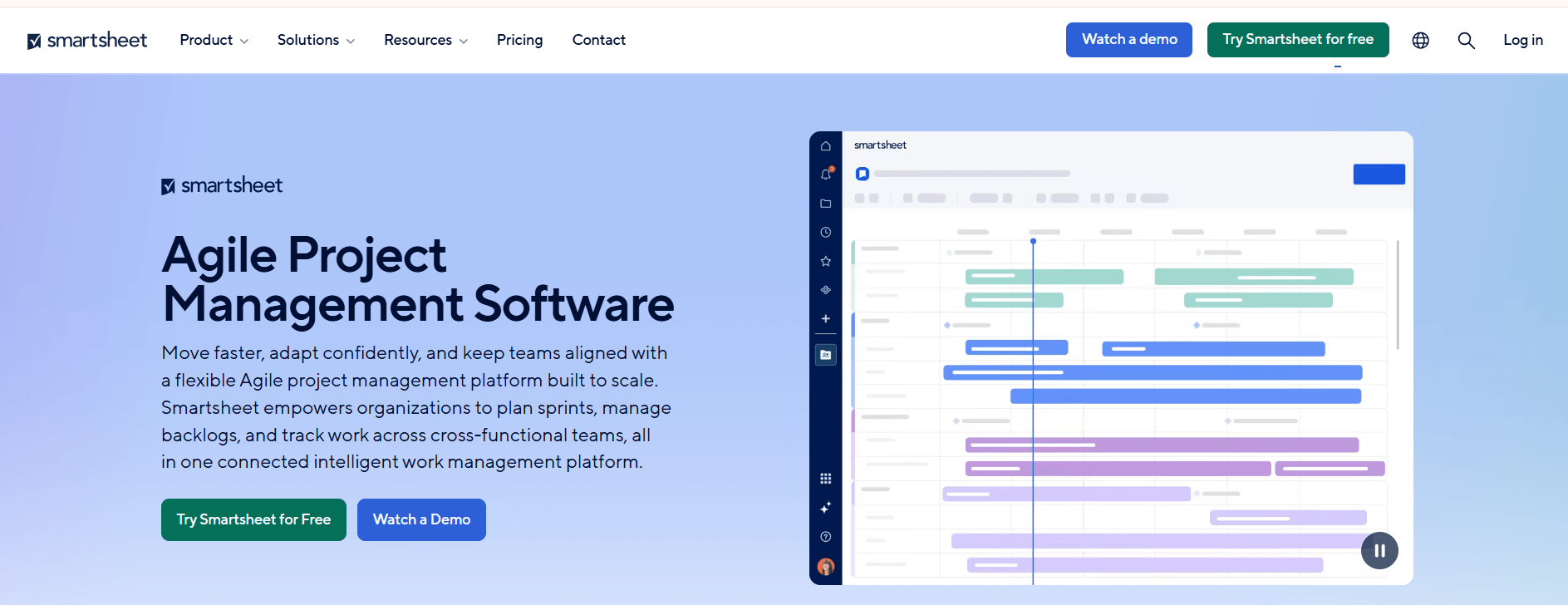
Smartsheet brings agile-style planning into a spreadsheet-based work-management environment. Its Board view can represent Kanban workflows, while Agile Backlog and Sprint Planning templates give teams starting points for sprint-based processes. The platform also combines these views with Gantt charts, dependencies, dashboards, and automation. However, teams looking for dedicated Scrum reporting may need additional configuration because Smartsheet does not provide the same native story-point rollups and burndown or velocity reporting found in dedicated agile platforms.
Agile capabilities:
- Board/Card view
- Agile Backlog templates
- Sprint Planning templates
- Workflow automation
- Dependency management
Key features:
- Spreadsheet-style grid
- Board views
- Gantt charts
- Dashboards
- WorkApps
- Data Shuttle
Pros:
- Familiar to spreadsheet users
- Combines agile-style boards with traditional project planning
- Strong automation at higher tiers
- Useful PMO reporting
Cons:
- Limited native Scrum reporting
- No native story-point rollups
- No native burndown or velocity charts
- No free plan for new customers
Pricing:
- Pro: $9/member/month annually
- Business: $19/member/month annually
- Enterprise: Custom
- Advanced Work Management: Custom
Best for: PMOs and operations teams that want agile-style boards within a broader spreadsheet-based project-management system.
14. Teamwork.com
Teamwork.com focuses on project delivery for agencies and client-service organizations. Its Board view supports Kanban-style workflows, while time tracking, resource scheduling, profitability reporting, and project health tools address the operational requirements of client work. It does not provide the native Scrum objects found in dedicated agile platforms, so teams looking for formal sprint planning, story points, or velocity reporting may need another platform. For teams using Kanban as a lightweight delivery method, however, its project and profitability features can complement board-based workflows.
Agile capabilities:
- Kanban-style boards
- Task dependencies
- Status workflows
- Resource scheduling
- Project reporting
Key features:
- Board, List, Table, and Gantt views
- Time tracking
- Profitability reporting
- Resource scheduling
- Project health reporting
- TeamworkAI
Pros:
- Strong time and profitability tracking
- Useful for client-service workflows
- Accessible to non-technical teams
- Free option for small teams
Cons:
- No dedicated Scrum objects
- Limited agile-specific reporting
- Primarily designed around client-service delivery
- Pricing and plan structures have changed
Pricing:
- Free: up to 5 users/projects
- Paid plans start around $9.99–$11/user/month annually
- Higher tiers and Enterprise: Custom
Best for: Agencies and client-service teams using Kanban-style delivery with billable work.
15. Aha! Roadmaps + Aha! Develop

Aha! approaches agile management from the product-strategy side. Aha! Roadmaps focuses on product vision, strategic initiatives, prioritization, customer feedback, and roadmaps, while Aha! Develop provides the execution environment for Scrum, Kanban, and SAFe workflows. Connecting the two products allows product managers to trace strategic initiatives into releases and engineering work. This makes the platform particularly relevant to organizations that want product strategy and agile execution connected within the same vendor ecosystem.
Agile capabilities:
- Scrum through Aha! Develop
- Kanban through Aha! Develop
- SAFe support through Aha! Develop
- Sprint planning
- Story estimation
- Agile metrics
- Strategic roadmaps
Key features:
- Visual product roadmaps
- Prioritization scorecards
- Customer feedback portals
- Capacity planning
- Ideas management
- Scrum and Kanban execution through Develop
- AI-assisted content
Pros:
- Connects product strategy with development execution
- Strong roadmap and prioritization tools
- Supports Scrum, Kanban, and SAFe
- Useful stakeholder-facing planning
Cons:
- More expensive than many dedicated agile tools
- Agile execution requires Aha! Develop
- Enterprise pricing is custom
Pricing:
- Aha! Roadmaps: $59/user/month annually
- Aha! Develop: $9/user/month annually
- Enterprise: Custom
Best for: Product organizations that want strategic roadmapping connected to engineering execution.
16. IBM Targetprocess
IBM Targetprocess is designed for organizations managing agile work across teams, programs, and portfolios. The platform supports Scrum, Kanban, SAFe, LeSS, and customized organizational frameworks, allowing enterprises to model work across multiple levels. Its visual portfolio views and configurable card hierarchies connect initiatives, features, stories, and tasks, while program boards support scaled planning. The platform targets organizations that need portfolio visibility and governance alongside team-level agile execution.
Agile capabilities:
- Scrum
- Kanban
- SAFe
- LeSS
- PI planning
- Portfolio management
- Configurable work hierarchies
Key features:
- Visual portfolio management
- Configurable card hierarchies
- SAFe program boards
- PI planning views
- Investment management
- Jira and Azure DevOps integrations
Pros:
- Supports multiple agile scaling frameworks
- Strong portfolio-level visibility
- Suitable for complex enterprise structures
- IBM enterprise ecosystem
Cons:
- Pricing is not publicly listed
- Implementation can require additional services
- More complex than team-level agile platforms
Pricing:
- Custom pricing
- Third-party marketplace figures may vary and should not be treated as IBM list prices
Best for: Large organizations managing Scrum, Kanban, SAFe, or other scaled-agile frameworks across multiple portfolios.
17. Digital.ai Agility
Digital.ai Agility is designed for organizations managing agile delivery across teams, programs, and portfolios. Its platform supports SAFe-based planning, nested Kanban workflows, portfolio alignment, and analytics that connect delivery activity with organizational objectives. The platform is aimed primarily at larger organizations with formal agile transformation programs rather than small software teams that need a simple sprint board.
Agile capabilities:
- Scrum
- Kanban
- SAFe
- Portfolio planning
- Program planning
- Agile analytics
- OKR alignment
Key features:
- Team, program, and portfolio planning
- Nested Kanban boards
- Portfolio alignment
- Predictive analytics
- Jira and Azure DevOps integrations
- Value-stream analytics
Pros:
- Designed for scaled agile environments
- Supports portfolio-to-team planning
- Suitable for complex enterprise structures
- Strong enterprise integration options
Cons:
- No public pricing
- More complex than team-level tools
- Smaller community than major mainstream platforms
- Usually requires organizational agile expertise
Pricing:
Custom pricing based on users and packaging
Best for: Mid-sized and large enterprises running formal scaled-agile programs.
18. Planview AgilePlace
Planview AgilePlace is built around Kanban and Lean flow management rather than traditional Scrum ceremonies. Teams can create nested boards, enforce WIP limits, connect work across teams, and monitor flow metrics at different organizational levels. Portfolio Kanban connects team-level work with larger initiatives, while integrations can synchronize cards and dependencies across other development and planning systems. Teams that primarily use continuous-flow methods can therefore structure work around throughput and flow rather than sprint-based planning.
Agile capabilities:
- Enterprise Kanban
- WIP limits
- Portfolio Kanban
- Flow metrics
- Dependency management
- Board synchronization
Key features:
- Nested Kanban boards
- WIP-limit enforcement
- Portfolio views
- OKR tracking
- Flow metrics
- Cross-team board connectors
Pros:
- Strong Kanban functionality
- Detailed flow-based reporting
- Supports enterprise portfolio planning
- Integrates with wider Planview products
Cons:
- No free plan
- Enterprise pricing is generally custom
- Less focused on formal Scrum ceremonies
- More specialized than general work-management platforms
Pricing:
Published starting rate: $20/user/month
Higher-tier and enterprise pricing: Custom
Best for: Organizations that use Kanban and Lean flow management across multiple interconnected teams.
19. Rally
Rally, formerly CA Agile Central and now part of Broadcom, provides enterprise agile planning across portfolio, program, and team levels. Teams can connect objectives and features with stories and tasks while using Scrum and Kanban boards for day-to-day development. Its release and program planning capabilities support organizations managing scaled agile programs, while portfolio reporting gives leaders visibility into progress across teams. Rally is primarily designed for larger organizations that need structured governance and traceability across agile programs.
Agile capabilities:
- Scrum
- Kanban
- Portfolio management
- Release planning
- PI planning
- Team-to-portfolio traceability
Key features:
- Objective-to-task traceability
- Scrum and Kanban boards
- Release planning
- Portfolio timelines
- Program reporting
- Custom dashboards
Pros:
- Strong portfolio-to-team traceability
- Enterprise-oriented reporting
- Supports scaled agile planning
- Mature enterprise platform
Cons:
- No public rate card
- No free tier
- Interface may require more onboarding than newer tools
- Primarily suited to large organizations
Pricing:
- Custom pricing
- Contact Broadcom for a quote
Best for: Large organizations that need enterprise agile planning and portfolio-to-team traceability.
20. P4 Plan
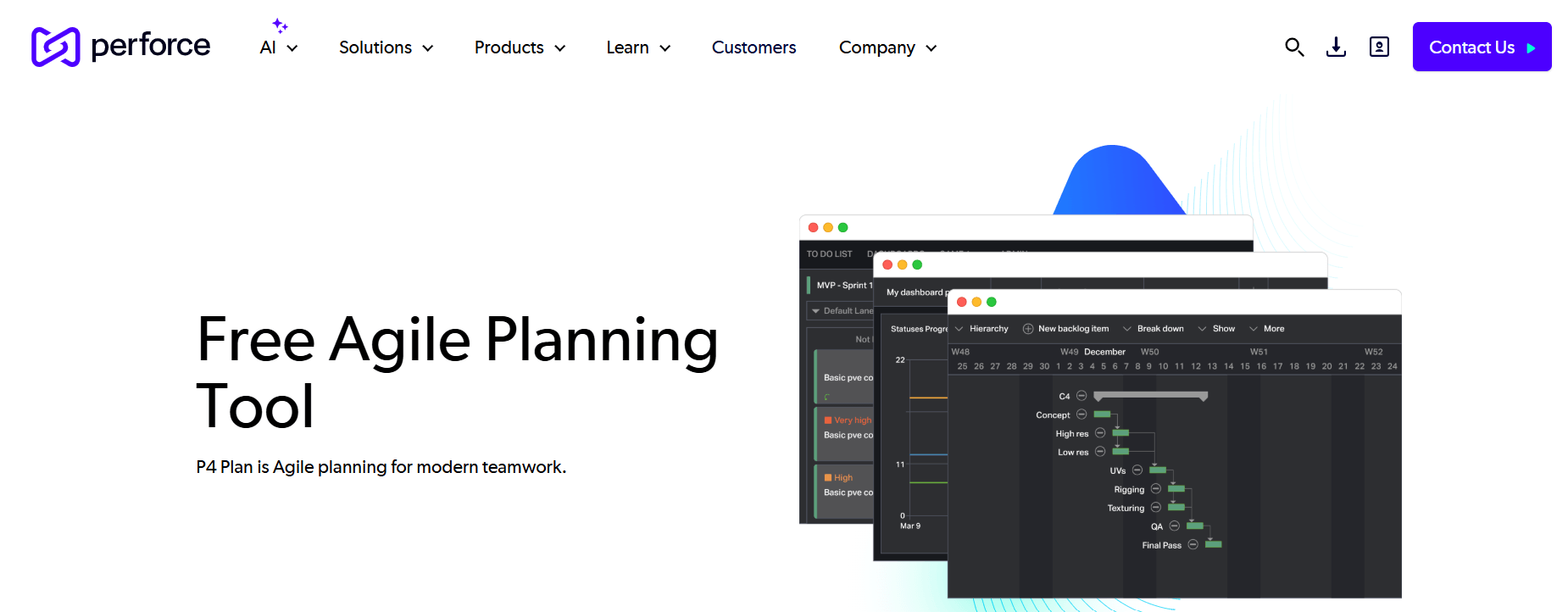
P4 Plan, formerly Hansoft, is Perforce’s project-planning platform for large and complex development environments. It allows different teams to use Scrum, Kanban, waterfall, or hybrid methods within a connected planning environment. This makes it particularly useful for organizations where engineering groups follow different delivery models but management still needs a shared view of schedules, dependencies, and progress. Its integration with Perforce Helix Core also makes it relevant to game-development and engineering teams managing large codebases and binary assets.
Agile capabilities:
- Scrum
- Kanban
- Hybrid Agile/waterfall planning
- Portfolio planning
- Dependency management
- Real-time planning
Key features:
- Synchronized developer and management planning
- Mixed methodology support
- Executive dashboards
- Perforce Helix Core integration
- Helix ALM integration
- Distributed-team support
Pros:
- Supports multiple methodologies in one environment
- Strong Perforce integration
- Useful for large distributed development teams
- Suitable for complex engineering workflows
Cons:
- Custom pricing
- Smaller user community
- More specialized than mainstream agile tools
- May be excessive for smaller teams
Pricing:
- Custom pricing
- Contact Perforce for a quote
Best for: Game studios and large engineering teams that need mixed-methodology planning and Perforce integration.
Conclusion
The right agile project management software in 2026 depends on how your team plans, delivers, reports, and collaborates. Dedicated agile platforms such as Jira, Shortcut, Linear, and Zoho Sprints provide structured workflows for software teams, while ClickUp, Asana, monday dev, and Wrike combine agile capabilities with broader work management. Enterprise platforms such as IBM Targetprocess, Digital.ai Agility, Rally, and Planview AgilePlace address portfolio planning, governance, and scaled delivery.
Before choosing a platform, compare the agile features included in the plan you will actually pay for. Check native backlog and sprint support, reporting, integrations, user limits, automation, seat requirements, and enterprise controls. If the vendor offers a trial, test the platform with your team’s actual backlog and workflow rather than relying only on feature lists. That will show whether the software fits the way your team already works and which capabilities you will actually use.