

Ransomware continues to pose a serious global risk in 2026, and attackers now strike far more often than the long-standing benchmark of once every 11 seconds. Now, security analysts expect the threat to intensify, predicting that by 2031 ransomware will hit a business, individual, or connected device every two seconds, while yearly global losses soar to an estimated $265 billion. At the same time, cybercriminals focus more aggressively on backup systems and rely on advanced double-extortion methods, which further raises the stakes. Therefore, choosing effective Software for Ransomware Protection and Recovery in 2026 plays a critical role in maintaining business operations. Below, we explore leading Software for Ransomware Protection and Recovery in 2026 and explain their main capabilities, strengths, drawbacks, and pricing so you can confidently choose the option that fits your needs.
Top 13 Best Software for Ransomware Protection and Recovery in 2026
1. Bitdefender

Bitdefender ranks as the best overall antivirus software in 2026. It uses AI and machine learning to detect malware quickly while maintaining strong system security. At the same time, it delivers fast performance and adds many extra security tools. While ransomware protection represents only one part of the package, the software gives it serious attention. When a ransomware threat appears, Bitdefender immediately halts related processes, begins cleanup, and notifies the user. Then, it helps restore affected files without encouraging ransom payments. This approach protects sensitive data from damage or permanent loss while keeping users informed at every step.
Features
- Multi-layer ransomware protection paired with automatic cloud backups
- Photon technology that adjusts to system behavior for improved performance
- Web attack prevention tools, including anti-phishing protection
- Advanced threat defense designed to stop zero-day attacks
- Parental control tools and webcam protection for added privacy
- Low system impact during full and quick scans
Pros
- Effective multi-layer ransomware defense
- Secure browser environment for online banking
- Blocks ad trackers and online profiling
- Numerous security-focused extra tools
- Supports Windows, macOS, Android, and iOS
Cons
- Weak results in manual malware blocking tests
- Average performance in hands-on malicious link tests
- Full VPN usage requires an additional subscription
Best Use Case
Bitdefender works best for users who want broad security coverage without slowing down their devices. It suits both personal and professional environments. In addition, it combines strong ransomware protection with a full antivirus system and several extra tools, which makes it feel closer to an all-in-one security solution. Furthermore, its strong detection performance and light system impact make it a dependable choice for daily use.
Our thoughts:
Bitdefender goes beyond basic antivirus software and works as a complete security package, depending on the plan you choose. It regularly proves its ability to detect and block threats, both in our own tests and in reports from independent security labs.
Bitdefender Total Security also adds parental controls, a VPN, a vulnerability scanner, and a secure browser. In addition, the interface feels simple to use, and the software runs smoothly on most major operating systems.
2. ZoneAlarm

ZoneAlarm Anti-Ransomware focuses only on stopping ransomware. It watches how programs behave, and then it reacts the moment something starts acting like an attack. In addition, the app places decoy files inside busy folders so that malware touches those first. Then, when suspicious activity appears, the software steps in. However, if a few real files get locked before detection kicks in, the tool later puts them back once it removes the threat.
Features
- Works as a separate app that runs next to any antivirus software
- Uses behavior tracking instead of virus signatures
- Watches program activity in real time to spot suspicious actions
- Catches even brand-new ransomware types
- Tracks file changes and brings back files that were altered during an attack
- Uses decoy files to attract ransomware before it reaches real data.
Pros
- Stops real-world ransomware attacks
- Restores files affected during an attack
- Offers some antivirus-style protection
- Includes basic keylogger blocking
Cons
- Sometimes allows files to get encrypted before rolling them back
- Keylogger protection only covers limited cases
Pricing
Starts at $13.95
Best Use Case
It’s for:
- People who only want ransomware protection
- Users who already run an antivirus but still want an extra layer against file-locking threats
- Anyone who prefers a focused security tool rather than a full security suite.
Our Thoughts
ZoneAlarm Anti-Ransomware delivers exactly what it promises: focused protection against ransomware threats. While it doesn’t replace a full antivirus suite, it works extremely well alongside existing security software. The decoy file approach proves clever because it attracts ransomware before your real data gets touched. Most importantly, the software restores any files that do get encrypted during an attack, which provides an extra safety net that many antivirus programs lack.
3. Norton 360
 Norton 360 uses AI-powered malware detection to spot and stop ransomware early. At the same time, it combines this with Cloud Backup and a Smart Firewall to keep devices and data protected from multiple angles. The Cloud Backup stores important files offsite, so even if an attack happens, users can still recover their data. Meanwhile, the Smart Firewall watches the flow of information between your device and the internet, then blocks any suspicious or unauthorized activity. Together, these tools create a security system that works in the background while you stay focused on your work.
Features
- AI-driven malware scanner that detects new and unknown threats
- Ransomware defense that automatically secures important files
- Unlimited-data VPN available on all plans
- Dark web monitoring that checks if your personal details appear online
- 50GB of cloud storage for backups on the Deluxe plan
- Real-time security updates plus behavior-based threat detection
Pros
- Blocks and removes all major types of malware
- Includes many security tools, including AI-based scam protection
- Strong ransomware defense features
- Comes with a VPN and a password manager
Cons
- No free plan
- Full system scans can slow down your device
Best Use Case
Norton works well for people who want broad protection against online and on-device threats. It costs more than many alternatives; however, the higher price also brings more advanced protection and extra security tools.
Pricing
Standard
- First year: $39.99
- Renewal: $94.99
Deluxe
- First year: $49.99
- Renewal: $119.99
Premium
- First year: $54.99
- Renewal: $139.99
Our Thoughts
Norton 360 stands as one of the most trusted names in antivirus protection, and the 2026 version maintains that reputation. The Cloud Backup feature particularly impresses us because it means your files stay safe even if ransomware encrypts your local storage. The unlimited VPN adds excellent value, especially for users who frequently connect to public Wi-Fi networks. While the first-year pricing looks attractive, keep in mind that renewal costs increase significantly.
4. McAfee
The software delivers scam protection and antivirus tools that actively block fake messages, deepfake attacks, viruses, malware, and ransomware. It runs on multiple platforms and also tracks your identity, then alerts you when your personal details show up online. In addition, the built-in VPN keeps your internet traffic safer on public networks, while parental controls help protect kids during web use.
Features
- Protection against ransomware and malware
- AI-powered scam and deepfake detection
- Identity theft tracking with alerts
- VPN for all devices
- Parental controls and family safety tools
- System performance and cleanup tools
Features
- Protection against ransomware and malware
- AI-powered scam and deepfake detection
- Identity theft tracking with alerts
- VPN for all devices
- Parental controls and family safety tools
- System performance and cleanup tools
Pros
- Delivers high malware detection scores
- Offers built-in identity tracking
- Supports many devices on the Ultimate plan
- Provides a VPN with most plans
- Detects outdated and risky software.
Cons
- Full scans may slow down your device
- Renewal prices increase after the first year
- The dashboard can feel crowded
- Some tools are locked behind higher plans
Best Use Case
McAfee works best for users who want strong lab-tested protection, constant identity monitoring, and a VPN for everyday browsing. It also suits people who care about dark web alerts and want ongoing updates when their personal data appears online.
Pricing
- Premium Individual: $49.99
- Advanced Individual: $89.99
- Ultimate Individual: $199.99
Our Thoughts
McAfee continues to stand out after decades in the security space. It scores well in independent tests, while its ransomware defense stops threats before they can lock your files. Moreover, the identity tracking tool adds peace of mind since it notifies you when your data appears in breaches. In addition, the VPN gives extra value, especially for people who often connect to public Wi-Fi.
5. Acronis Cyber Protect

Acronis Cyber Protect brings backup, antivirus, and ransomware defense together in one platform. It saves your data while it scans for threats, and then it places clean copies in a secure vault. At the same time, active protection watches how files behave and stops ransomware before it locks anything. Meanwhile, you can restore a full system or a single file in just a few clicks. Then, during recovery, the software checks the data again to make sure no hidden malware comes back with it.
Features
- Uses anti-ransomware technology with active monitoring and secure vault storage
- Combines backup and antivirus in one system
- Blocks dangerous websites and phishing attempts
- Creates forensic reports and detailed incident logs
- Supports multiple platforms, including operational technology environments
- Allows fast recovery without constant IT support
Pros
- Puts backup and security in one place
- Feels simple to set up and manage
- Works well for managed service providers
- Delivers strong protection against ransomware
Cons
- The interface looks outdated when compared with newer tools
- Some high-level tools need extra licenses
- Older devices may run it more slowly
Best Use Case
Acronis fits small and medium businesses that want both data protection and cybersecurity in one package. It also suits teams that prefer to cut down the number of separate tools they manage while still keeping their systems safe.
Pricing
- Starts at $85 per year
Our Thoughts
Acronis Cyber Protect makes a strong impression since it handles both backup and security at the same time. Many companies usually rely on different products for each task; however, this platform proves that one solution can handle both effectively. It also scans backups before saving them, which helps stop infected files from returning during recovery.
6. Veeam Data Platform
Veeam provides recovery, threat detection, and backup tools that help organizations fight ransomware. It applies AI-driven malware checks while backups run, and then saves those backups in immutable and air-gapped locations that attackers cannot access. At the same time, the platform keeps data safe and ready, so teams can restore files quickly if an incident happens.
Features
- AI-driven malware detection during every backup
- Immutable and air-gapped storage that blocks ransomware
- SureBackup and SecureRestore to confirm clean recoveries
- Automated recovery workflows that speed up restoration
Pros
- Works well with many security tools
- Delivers fast and verified recovery
- Focuses heavily on ransomware protection
Cons
- Needs technical knowledge for proper setup
- Uses a lot of system resources in large environments
Pricing
Contact the vendor for pricing details
Best Use Case
Veeam fits large organizations that need dependable backup and fast recovery with built-in ransomware defense. In addition, it works especially well in virtualized environments since it supports VMware, Hyper-V, and similar platforms without friction.
Our Thoughts
Veeam’s immutable backups stand out since attackers cannot alter or delete them, which keeps data safe even during a serious breach. Moreover, the automated recovery tests add confidence since they confirm that backups work before a real emergency. The platform also runs backups without interrupting daily operations, while its replication tools move data easily between directories. Furthermore, built-in compression reduces storage use and saves time during every backup.
7. Sophos
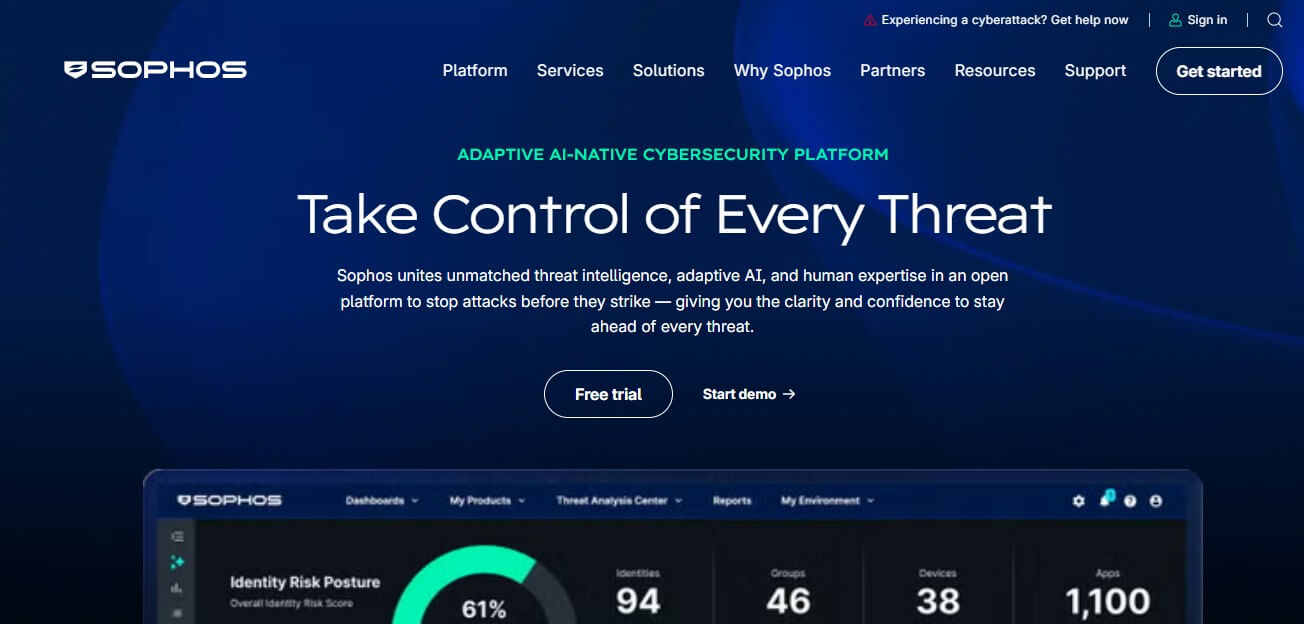
Sophos Home Premium blocks ransomware before it can enter or move across your network. First, deep learning spots and stops ransomware at the gateway. Then, lateral-movement control and RDP management prevent attackers from pushing their intrusion any further. In addition, the software uses AI to catch threats in real time and shuts down risky websites before they load. Also, keystroke encryption protects sensitive data even when malware slips past other defenses. Meanwhile, remote management allows you to watch over and secure family devices from anywhere.
Features
- Real-time behavior tracking powered by AI
- AI protection for new and unknown threats
- Keystroke encryption to keep data safe
- Remote control for family computers
- Blocks phishing and harmful websites
- Small file size with low system impact
Pros
- Strong performance in several hands-on tests
- Reliable ransomware defense
- Manages up to 10 PCs or Macs remotely
- Affordable pricing
Cons
- Testing labs report mixed outcomes
- Parental controls fall short
- No mobile management or keylogger tools
- Some advanced tools need uncommon technical skills
Pricing
- Starts at $44.99
Our Thoughts
Sophos Home Premium builds on its basic malware protection with extra layers aimed specifically at ransomware. Moreover, it separates this ransomware defense from the rest of the antivirus tools, so users can keep that protection active while switching others off. In addition, the AI engine finds threats that older antivirus tools often miss, while behavior tracking flags ransomware based on how it acts. The remote management option stands out since it lets parents secure their children’s computers even when they are not nearby.
8. Webroot Essentials

Webroot Essentials works differently from traditional antivirus programs. It immediately removes any malicious software it identifies and lets trusted programs continue without interference. When it detects an unknown program, it isolates it in a virtual environment and records any system changes the program attempts to make. It also blocks permanent actions, such as sending data externally, and sends details to the Webroot cloud for analysis. If the cloud flags the program as malicious, Webroot deletes it and reverses all of its changes, including undoing ransomware encryption to restore your original files.
Features
- Cloud-based protection with minimal impact on your device
- Full system scans completed in under 2 minutes
- Defense against phishing attacks and web-based threats
- Protection for your identity and defense against ransomware
- Monitoring of network connections
Pros
- Extremely lightweight with minimal storage use
- Fast scans that don’t slow down your computer
- Compatible with older or low-spec devices
- Includes basic device optimization tools
Cons
- Malware detection is slightly lower than some competitors
- Limited results from independent lab tests
- Does not include parental control features
- VPN must be purchased separately
Pricing
Plans start at $24.99
Best Use Case
Webroot Essentials suits users who want antivirus protection without long scans or heavy system impact. It identifies known threats, allows trusted programs to run, and isolates unknown programs until the cloud analysis completes. If a program is confirmed harmful, Webroot removes it and reverses all changes, including ransomware activity, restoring your files.
Our Thoughts
Webroot’s cloud-focused design keeps its installation footprint smaller than any major antivirus. Additionally, its scanning speed is impressive, finishing full scans in under two minutes, compared with 30 to 60 minutes typical of traditional antivirus programs. This approach makes it ideal for users seeking fast, efficient protection.
9. ESET Smart Security Premium
ESET protects your digital life across Windows, macOS, Android, and iOS. It blocks viruses, spyware, ransomware, and phishing attacks while detecting new threats with advanced technologies. The software combines real-time threat detection, behavioral analysis, and multi-layered malware scanning to catch both known and emerging dangers. Beyond basic antivirus tools, ESET includes a VPN for secure browsing, file encryption for sensitive information, and dark web monitoring to alert you if personal data appears online. Its user-friendly dashboard makes it easy to manage security, check scan results, and respond to alerts without technical expertise.
Features
- AI-driven malware detection to identify and stop threats instantly
- Multi-layered ransomware protection
- Data encryption and secure password manager
- Minimal impact on system performance
- Customizable security settings for advanced users
- Compatibility with multiple operating systems: Windows, macOS, Linux, Android
Pros
- Lightweight, maintains performance on older devices
- Strong ransomware protection and device control
- Detects malware and exploits proactively
- Secures online payments and sensitive financial transactions
Cons
- Some tools require time to learn
- Advanced features come with additional cost
- Interface may feel slightly outdated
- Aggressive scanning mode can produce false positives
Pricing
- Premium: $67.36
- Ultimate: $93.90
Best Use Case
ESET suits tech-savvy users and privacy-conscious individuals who want detailed control over their security. It performs well on older hardware without slowing the system. Users who manage sensitive financial data benefit from its secure payment protection and file encryption.
Our Thoughts
ESET provides consistent, reliable protection while running quietly in the background. It works effectively even on devices with limited memory or processing power, making it a strong choice for anyone seeking comprehensive digital security.
10. Malwarebytes
Malwarebytes provides advanced cybersecurity solutions that protect devices from malware, ransomware, and other complex threats. It monitors behavior and uses machine learning to detect suspicious activity, catching threats that traditional antivirus tools often overlook. This approach focuses on how malware acts rather than only identifying known threats. The software supports Windows PCs, Macs, and mobile devices, and it combines malware protection with privacy and identity safeguards to cover multiple areas of online risk.
Features
- Anti-Exploit technology that blocks attacks targeting software vulnerabilities
- Malicious website protection through Browser Guard
- Web filtering and phishing protection to prevent online scams
- Fast scanning powered by frequently updated malware signatures
- Compatibility with other antivirus software for added security layers
Pros
- Detects threats that many other tools miss
- Scans quickly and effectively
- Functions well alongside existing antivirus programs
- Offers a straightforward, user-friendly interface
- Prioritizes ransomware defense
Cons
- Premium plans cost more than some competitors
- Lacks certain tools available in full security suites
- Unlimited VPN only on higher-tier plans
Pricing
Standard plans start at $59.99
Best Use Cases
- People who frequently use public Wi-Fi or handle sensitive information benefit from the VPN and identity protection in higher-tier plans.
- Technicians and support professionals often rely on Malwarebytes to clean and restore compromised systems.
Our Thoughts
Malwarebytes stands out for its ability to catch hidden threats while remaining easy to use. Its combination of malware defense, privacy protection, and identity recovery features makes it a strong choice for individuals and professionals who want layered protection without complicated setup.
11. Data443
Data443 Ransomware Recovery Manager monitors your system for ransomware activity and restores it to a clean state when an attack occurs. Every time you restart your computer, it rolls back the system to a previous malware-free version, keeping your personal files like documents and pictures intact. This ensures your work remains safe while removing harmful changes caused by ransomware.
Features
- Detects ransomware and reboots your PC immediately to revert to a clean state
- Protects personal files in folders such as Documents and Pictures, preventing data loss
- Resets installed or updated programs to their previous state; you must pause protection when installing new software
- Successfully detected all tested real-world ransomware samples during hands-on trials
- Includes a basic antivirus component for additional security
Pros
- Restores your system to a clean, malware-free state on reboot
- Protects your personal folders from being wiped
- Recovers files encrypted by ransomware
- Affordable annual pricing
Cons
- Malware remains active until the system reboots
- Limited antivirus functionality
Pricing
$8.99 per year for a single license
Best Use Cases
Ideal for users who need a simple solution to restore their system to a safe state after a ransomware attack
Ensures ongoing work in personal files remains unaffected during recovery
Our Thoughts
Data443 Ransomware Recovery Manager offers reliable protection against ransomware through automatic system rollback. It balances simplicity with effectiveness, focusing on keeping your personal files safe while eliminating malware from your system. The immediate reboot approach may take some adjustment, but it works consistently in practical testing.
12. CrowdStrike Falcon
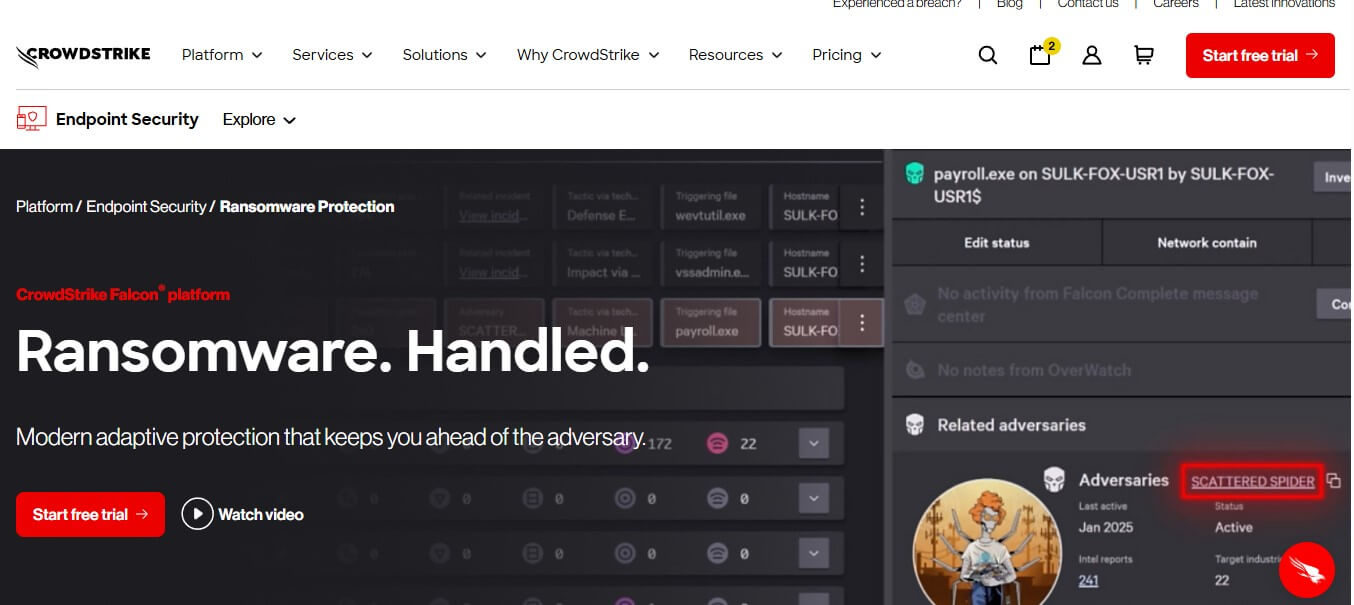
CrowdStrike offers a next-generation anti-virus platform designed to detect and stop a wide variety of threats, from basic malware to sophisticated ransomware. It combines artificial intelligence with machine learning to identify both known and emerging ransomware attacks. In addition, the platform monitors behavior patterns to block attacks that do not rely on traditional files or malware. CrowdStrike also maintains a large database of threat intelligence, allowing it to recognize and halt malicious processes. Its automated IOA remediation removes leftover traces from blocked attacks, keeping systems clean and secure.
Features
- Detects known and unknown ransomware using AI and machine learning
- Uses behavior-based indicators to identify unconventional attacks
- Accesses an extensive threat intelligence database for proactive protection
- Automatically cleans up artifacts from blocked malicious activities through IOA remediation
Pros
- Proven effectiveness in stopping ransomware in independent tests
- Lightweight agent that minimizes impact on system performance
- Quick deployment across multiple devices
Cons
Requires internet access due to cloud-based architecture
Pricing
Pricing starts at $8.99
Best Use Case
CrowdStrike Falcon suits small to medium businesses that need reliable ransomware protection without managing complex infrastructure. Organizations seeking protection validated by independent testing will find this platform especially useful. It also benefits companies with remote employees, as its cloud-based system safeguards devices regardless of location.
Our Thoughts
CrowdStrike provides a simple, fast, and lightweight platform capable of detecting and stopping both known and unknown ransomware. It supports nearly all major operating systems and integrates multiple protection technologies to safeguard endpoints effectively. The combination of AI, machine learning, and behavior-based monitoring ensures devices remain protected with minimal effort from IT teams.
13. Trend Micro
Trend Micro Deep Security delivers ransomware protection along with several extra security tools. It includes a data and file shredder, vulnerability scanner, and integration with other security programs. Users can also access cyberthreat insurance for added peace of mind. The software works on both cloud and on-premises systems, offering antivirus, ransomware detection, and a set of decryptor tools to recover affected files.
Features
- Eliminates network blind spots to improve overall protection
- Protects hybrid and multi-cloud environments
- Blocks suspicious websites and phishing attempts
Pros
- Provides clear pricing information for all plans
- Maintains a transparent privacy policy and compliance standards
- Includes anti-hacking measures to prevent unauthorized access
Cons
- Policy management can be complex to set up
- Logging and reporting functions need improvement
- Full system scans can take a long time
Pricing
- Free Trend Micro tools: basic security features available for download
- Antivirus+ Security: starts at $40 per year
- Maximum Security: starts at $50 per year
- Premium Security Suite: starts at $55 per year
- Free trial: 30 days
Best Use Case
This software fits users who prioritize web protection over advanced malware detection. Multi-device households also benefit from its flexible coverage options.
Our Thoughts
Trend Micro emphasizes web security, and this focus shines through in its phishing defense and ability to block dangerous websites effectively. Users looking for strong online protection will find it particularly useful.
Conclusion
Choosing the right Software for Ransomware Protection and Recovery in 2026 depends on your needs, budget, and technical know-how. The strongest defense combines multiple layers. No single tool can stop every attack, so organizations install antivirus programs, perform regular backups, educate employees on security practices, and segment their networks. Additionally, updating software consistently and following the 3-2-1 backup rule—keeping three copies of data on two types of storage with one offsite greatly improves recovery chances.
As cybercriminals create more advanced ransomware, staying up to date on threats and protection techniques becomes crucial. The software highlighted in this guide reflects the best options currently available, but the threat landscape changes constantly. Regularly reviewing and adjusting your security approach ensures that defenses remain effective against new attacks.
Ransomware protection demands continuous attention rather than a one-time setup. Whether using a comprehensive enterprise solution or a focused consumer tool, maintaining protection through updates, testing, and monitoring separates quick recovery from severe data loss. Investing in reliable Software for Ransomware Protection and Recovery in 2026 today helps safeguard both your data and business continuity tomorrow.