

Scheduling one interview is easy. Scheduling forty interviews a week is a job on its own. Every interview requires a candidate, one or more interviewers, a time that works across calendars and time zones, a video link or meeting room, and a reminder that the candidate actually sees. When an interviewer declines, the recruiter has to start the process again. Email threads pile up, and recruiters spend hours coordinating schedules that software can handle in minutes.
A general booking link works well for a simple one-to-one call. It becomes harder to manage when you need a panel, a multi-stage interview loop, or hundreds of candidates in the same hiring round. That is where dedicated interview scheduling software helps. These tools connect to calendars, let candidates choose available time slots, coordinate interviewers, send reminders, and often sync with your applicant tracking system (ATS).
This guide compares ten interview scheduling software options for 2026. We looked at how well each platform handles interviews rather than general appointments, how it manages panels and calendars, what candidates experience, how much of the process it automates, and what it costs.
Top 10 Best Interview Scheduling Software in 2026
1. GoodTime: Best interview scheduling software in 2026 for complex, high-volume hiring
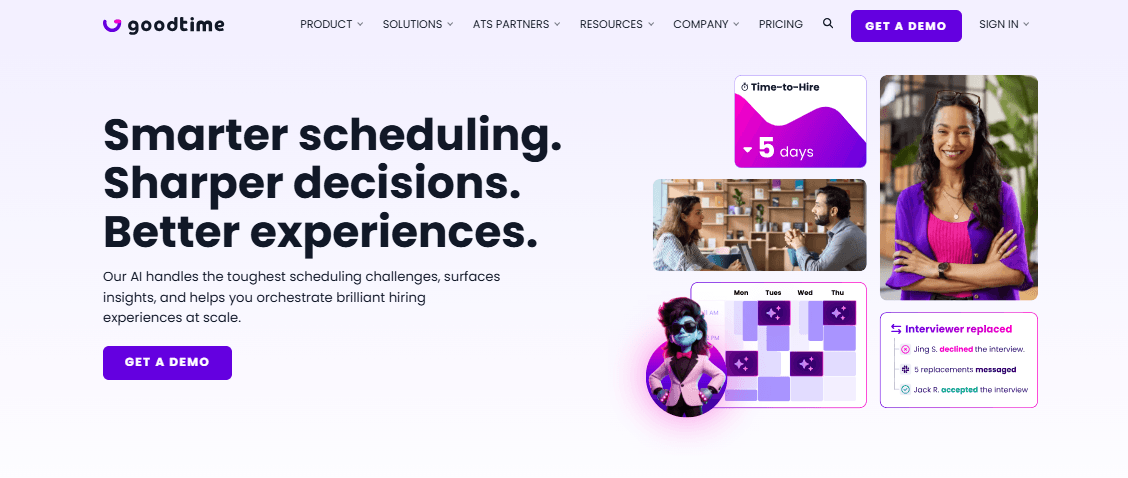
GoodTime is a scheduling-first platform built for companies that run complex interview loops at scale. It focuses on one of the most time-consuming parts of recruiting: finding times that work for candidates and multiple interviewers, then rebuilding the schedule when someone becomes unavailable.
Candidates can choose from available times that already match interviewer calendars. GoodTime supports multi-day interview loops, panel interviews, and batch scheduling for high-volume hiring. It also connects with ATS platforms through two-way integrations, allowing recruiters to keep candidate information and scheduling activity connected to their existing recruiting workflow.
The platform also handles interviewer replacement, time-zone detection, candidate reminders, and branded scheduling experiences. Teams can add SMS and WhatsApp messaging and applicant screening through optional features.
GoodTime focuses specifically on recruiting scheduling and candidate engagement. It does not replace an ATS or function as a general-purpose booking tool for sales calls and other meetings.
Key interview scheduling features
- Automated scheduling that matches candidate availability with interviewer calendars
- Panel and multi-stage interview coordination
- Batch scheduling for high-volume roles
- Two-way ATS synchronization
- Branded candidate scheduling pages
- Candidate and interviewer time-zone detection
- Automated reminders
- Optional SMS and WhatsApp messaging
- Optional applicant screening
Pros
- Built for panels and multi-stage interview loops
- Includes ATS integrations in all plans
- Pricing does not depend on the number of recruiters or interviewers
- Can replace interviewers when someone becomes unavailable
- Designed specifically for recruiting workflows
Cons
- Pricing is available only through a custom proposal
- Does not replace your ATS
- May be more than a small team needs for occasional interviews
Pricing
- Custom pricing
- Pricing is based on the number of candidates per year rather than the number of users
- Teams can add as many users as needed
- Contact GoodTime for a quote
- Free plan: Not available
Best for: Enterprise and high-volume recruiting teams that already use an ATS and need automation for complex interview scheduling.
2. ModernLoop: Best interview scheduling software for reducing recruiter workload
ModernLoop focuses on the coordination work between moving a candidate to an interview stage and getting every interviewer and candidate confirmed on a schedule. It targets recruiting operations teams that manage large numbers of interviewers and want to reduce the manual work involved in scheduling.
Its standout feature is zero-click scheduling. When a candidate reaches a particular stage in the ATS, ModernLoop can automatically trigger the scheduling process and candidate communication without requiring a recruiter to start each request manually.
The platform also helps recruiting teams manage interviewer workloads, create interview panels, monitor scheduling queues, and identify bottlenecks. This gives recruiting operations teams visibility into where scheduling requests are delayed and which interviewers carry the heaviest workload.
ModernLoop works alongside an existing recruiting stack rather than replacing the ATS. Teams get the most value when they already have an ATS that can trigger its scheduling workflows.
Key interview scheduling features
- Zero-click scheduling triggered by ATS stage changes
- Calendar synchronization and interviewer availability comparison
- Customizable interview panels and scheduling cadences
- Interviewer workload management
- Scheduling queues for identifying bottlenecks
- Scheduling activity reporting
- Interviewer training programs
Pros
- Reduces manual scheduling work by triggering workflows from ATS changes
- Gives recruiting operations teams visibility into interviewer workloads
- Focuses specifically on interview coordination
- Scheduling queues make delays easier to identify
- Supports complex interview workflows
Cons
- Pricing is not publicly listed
- Requires an ATS to get the most value from stage-triggered scheduling
- May be unnecessary for teams that schedule only a small number of interviews
Pricing
- Custom pricing
- No published price list was available for the scheduling product
- Contact ModernLoop for a quote
- Free plan: Not available
Best for: Growing companies with recruiting operations teams that want to reduce manual scheduling and balance interviewer workloads.
3. Ashby: Best interview scheduling software for startups and scale-ups
Ashby combines an ATS, candidate CRM, analytics, and interview scheduling in one recruiting platform. Instead of adding a separate scheduling tool to an existing ATS, recruiters can move candidates through the hiring pipeline and schedule interviews from the same system.
Its main advantage for smaller companies is pricing transparency. Ashby publishes a starting price for its Foundations plan, allowing companies to estimate costs before speaking with sales.
The platform supports candidate booking links, availability requests, calendar integrations, and reusable interview plans. Teams with more complex scheduling requirements can also purchase the Advanced Scheduling add-on, which adds more automation and AI-powered capabilities.
Ashby also offers an AI Notetaker as a separate add-on for recording interviews, generating transcripts, and creating summaries. This makes Ashby broader than a dedicated interview scheduler, but teams should account for the additional cost of these add-ons.
Key interview scheduling features
- Interview scheduling built directly into the ATS
- Candidate booking links
- Candidate availability requests
- Reusable interview plans
- Defined interview stages and interviewers
- Calendar integrations
- Advanced Scheduling add-on
- AI-powered scheduling automation
- AI Notetaker for recordings, transcripts, and summaries
Pros
- Combines ATS, CRM, analytics, and scheduling
- Publishes a starting price
- Interview plans help keep hiring processes consistent
- Month-to-month billing is available at the entry level
- Annual commitments receive a 10% discount at the entry level
Cons
- Pricing increases with company size
- Advanced Scheduling costs extra
- AI Notetaker costs extra
- Detailed scheduling settings can require more setup
Pricing
- Foundations: $400/month for companies with up to 100 employees
- Annual commitments receive a 10% discount
- Plus: 101–1,000 employees, with pricing based on company size, usage, and commitment
- Enterprise: 1,000+ employees, with custom pricing
- Free plan: None listed
Best for: Startups and scale-ups that want an ATS with interview scheduling built in and prefer to see a starting price before contacting sales.
4. Greenhouse: Best interview scheduling software for structured hiring
Greenhouse is an ATS designed around structured hiring, with interview scheduling built into the broader recruiting workflow. Recruiters can create interview kits and scorecards, move candidates through the pipeline, and schedule interviews that feed directly into the structured interview process.
Its scheduling features include scheduling suggestions, candidate self-scheduling, scheduling links, automation rules, and interview reminders. These features cover the main scheduling tasks recruiters handle while keeping scheduling connected to candidate profiles, interview feedback, and hiring reports.
Greenhouse works best for companies that already want an ATS rather than a standalone scheduling tool. Teams that need only a booking link may find the broader platform unnecessary, but companies running structured hiring processes can keep scheduling and interview evaluation in one system.
Key interview scheduling features
- Scheduling links
- Candidate self-scheduling
- Scheduling suggestions
- Scheduling automation rules
- Candidate interview reminders
- Structured interview kits
- Interview scorecards
- Scheduling connected to the ATS pipeline
Pros
- Connects scheduling with interview kits and scorecards
- Supports candidate self-scheduling
- Includes scheduling automation rules
- Offers Core, Plus, and Pro plans
- Established ATS with a broad integration ecosystem
Cons
- Pricing is not publicly listed
- Cost depends on hiring needs and organizational factors
- The full platform may be excessive if you only need scheduling
- Exact scheduling features by plan should be confirmed with sales
Pricing
- Custom pricing
- Pricing depends on hiring needs, hiring volume, organizational complexity, and required capabilities
- Plans include Core, Plus, and Pro
- Contact Greenhouse for a quote
- Free plan: Not available
Best for: Companies that want structured interviewing and interview scheduling inside the same ATS.
5. Lever: Best interview scheduling software for ATS and CRM users
Lever combines an ATS with a recruiting CRM, with interview scheduling built into its candidate workflow. Recruiters can build relationships with candidates, move them into active hiring processes, and schedule interviews without moving between separate systems.
Its platform includes candidate self-scheduling, calendar integration, automated scheduling follow-ups, interview kits, and scorecards. Lever also connects scheduling with its CRM capabilities, which makes it useful for companies that actively nurture passive candidates before they enter a hiring process.
However, Lever is not a dedicated scheduling platform. Companies that run highly complex panels or large volumes of interviews may need more specialized scheduling automation than the platform provides.
Key interview scheduling features
- Candidate self-scheduling
- Interview scheduling with calendar integration
- Automated scheduling follow-ups
- Structured interview kits
- Interview scorecards
- AI interview transcripts and summaries
- Scheduling connected to CRM nurture campaigns
Pros
- Combines scheduling, ATS, and recruiting CRM
- Includes candidate self-scheduling
- Supports structured interviews
- Useful for teams that nurture talent before roles open
- Keeps candidate relationships and hiring activity in one platform
Cons
- No public pricing
- Pricing varies based on organization size and hiring needs
- Dedicated scheduling tools may offer more advanced panel coordination
Pricing
- Custom pricing
- Pricing is available on request
- Pricing scales with organization size and hiring needs
- Contact Lever for a quote
- Free plan: Not available
Best for: Mid-sized in-house recruiting teams that want interview scheduling inside a combined ATS and recruiting CRM.
6. Workable: interview scheduling software for small teams with transparent pricing
Workable is an ATS and HR platform that publishes its pricing, making it easier for smaller companies to estimate their recruiting costs. Interview scheduling comes as part of its applicant tracking features rather than as a separate scheduling product.
Workable supports self-scheduled interviews, two-way calendar synchronization with Gmail and Microsoft 365, multi-part interviews, interview kits, scorecards, and integrations with Zoom, Microsoft Teams, and Google Meet.
This gives small recruiting teams the main scheduling functions they need without adding another platform. However, companies that regularly coordinate complex panels or very high interview volumes may need a scheduling-first product with deeper automation.
Key interview scheduling features
- Candidate self-scheduled interviews
- Two-way calendar synchronization with Gmail and Microsoft 365
- Multi-part interviews
- Zoom integration
- Microsoft Teams integration
- Google Meet integration
- Interview kits and scorecards
- Automated actions in the hiring pipeline
Pros
- Publishes pricing by employee band
- Includes scheduling in the base ATS
- Supports both Google and Microsoft calendars
- Offers unlimited active jobs subject to fair usage limits
- Includes common video meeting integrations
Cons
- Pricing increases with employee count
- Texting and video interviews cost extra on Standard
- No free plan
- A team that only needs scheduling may pay for more functionality than it uses
Pricing
- Standard: $299/month for 1–20 employees
- Premier: $599/month for 1–20 employees
- Enterprise: $719/month for 1–20 employees
- Prices increase with employee count
- Texting: $89/month on Standard
- Video interviews: $109/month on Standard
- Texting and video interviews are included on Premier and Enterprise
- Free plan: Not available. Workable offers a 15-day free trial.
Best for: Small recruiting teams that want an ATS with built-in interview scheduling and transparent pricing.
7. Calendly: Best interview scheduling software in 2026 for simple candidate booking
Calendly is a general-purpose scheduling platform rather than a recruiting-specific tool. Recruiters often use it because candidates already understand how booking links work. A recruiter creates a scheduling link, the candidate selects an available time, and Calendly updates the relevant calendars.
For recruiting, multi-person meeting types and round-robin scheduling are particularly useful. Round-robin scheduling starts with the Teams plan, allowing teams to distribute bookings among multiple recruiters or interviewers.
Calendly also connects with common calendars and video meeting platforms and provides automated reminders on paid plans. However, it does not understand recruiting concepts such as candidate stages, interview loops, scorecards, or hiring pipelines.
That makes it useful for simple interviews but less suitable for companies that need automated coordination across several interviewers and multiple stages.
Key interview scheduling features
- Candidate booking links
- Connections to up to six calendars on paid plans
- Google Calendar integration
- Microsoft Teams integration
- Outlook integration
- Office 365 integration
- Multi-person meeting types
- Round-robin scheduling
- Automated reminders
- Zoom, Google Meet, and Microsoft Teams links
Pros
- Familiar interface for many candidates
- Quick to set up
- Does not require an ATS
- Free plan available for basic use
- Round-robin helps distribute meetings across team members
Cons
- Does not manage interview stages or recruiting workflows
- Free plan allows one event type and one calendar connection
- Round-robin requires the Teams plan
- Each person who hosts meetings needs a seat
Pricing
- Standard: $10/seat/month when billed annually
- Teams: $16/seat/month when billed annually
- Monthly billing costs more
- Enterprise starts at $15,000/year for 50 seats
- Enterprise pricing is in USD
- Invitees do not need a paid seat
- Free plan: Available, with one event type, one calendar connection, and one-on-one scheduling
Best for: Solo recruiters and small teams that need simple candidate booking links without a full recruiting platform.
8. Cronofy: Best interview scheduling software for ATS integrations and custom scheduling
Cronofy provides scheduling infrastructure and a Scheduler product that sits on top of it. For recruiting teams, its Scheduler can connect with supported ATS platforms and allow recruiters to schedule interviews without leaving their existing recruiting environment.
Its Business plan lists integrations with Greenhouse and SmartRecruiters. Cronofy also provides an embeddable scheduler and API, making it useful for software companies that want to build scheduling into their own applications.
The platform focuses on scheduling rather than recruiting. Teams still need an ATS for candidate management, interview feedback, scorecards, reporting, and other recruiting functions.
Key interview scheduling features
- Scheduler that works with supported ATS platforms
- Multi-person meeting scheduling
- Real-time calendar synchronization
- Scheduling automation on paid plans
- Custom domains and branding
- API access
- Embeddable scheduling experiences
Pros
- Works alongside an existing ATS
- Uses active-user billing
- Provides API access for custom scheduling experiences
- Gives recruiters an alternative to basic ATS-native scheduling
- Supports embedded scheduling
Cons
- Requires setup and a supported ATS for recruiting use
- Some integrations are available only on higher plans
- Does not provide a recruiting platform
- Teams may need additional tools for candidate management and reporting
Pricing
- Cronofy bills by active user
- An active user is someone with a Cronofy account who hosts or attends a scheduled meeting during the month
- Pay-as-you-go and higher business tiers are available
- Current pricing is listed in US dollars
- Check Cronofy’s pricing page for current rates
- Free plan: None listed
Best for: Teams that already use a supported ATS and want a dedicated scheduling layer, or software companies that want to build scheduling into their own product.
9. Prelude: Best interview scheduling software for recruiting logistics
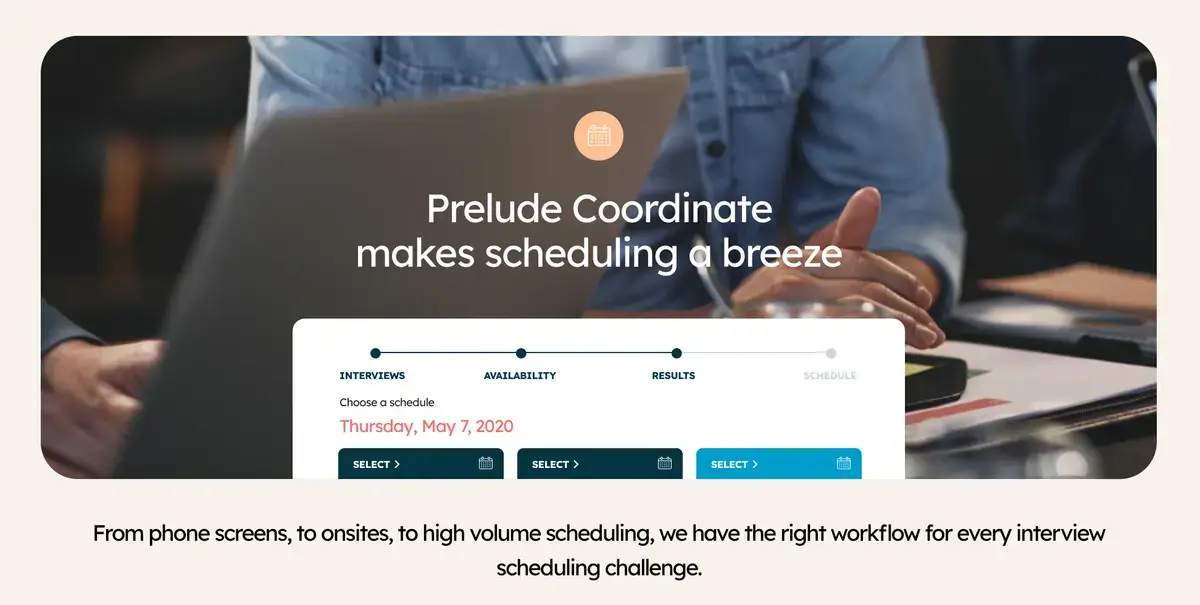
Prelude is a recruiting-specific platform focused on the operational work that surrounds interviews. Its product combines interview scheduling with candidate communication, interviewer training, interview management, and hiring analysis.
This makes it relevant to recruiting coordinators and teams that want to manage more than the calendar itself. Instead of treating scheduling as an isolated task, Prelude connects it with the candidate experience and the broader interview process.
Prelude is not an ATS, so teams still need a separate system for core candidate and pipeline management. Public information about its pricing and plan-level features is also limited, which makes direct comparison more difficult.
Key interview scheduling features
- Interview scheduling
- Automated scheduling
- Candidate communications
- Interviewer training
- Hiring analysis
- Interview management
Pros
- Built specifically for recruiting logistics
- Combines scheduling with candidate communication
- Includes interviewer training
- Connects scheduling with broader interview management
- Free trial is listed
Cons
- Pricing is not publicly available
- Limited public information about features by plan
- Smaller public footprint than major ATS providers
Pricing
- Custom pricing
- Contact Prelude for a quote
- Directory listings describe a per-feature pricing model
- A free trial is listed
- Free plan: Not available
Best for: Recruiting teams that want a recruiting-focused scheduling platform with candidate communication and interview management.
10. Microsoft Bookings: Best interview scheduling software for Microsoft 365 users
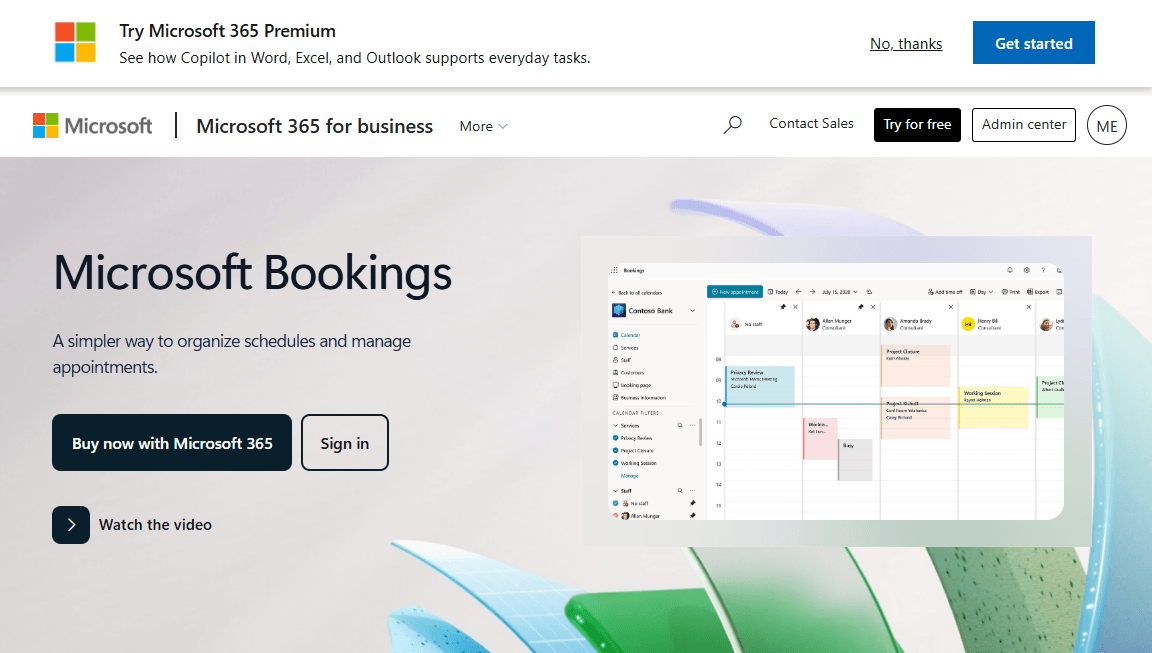
Microsoft Bookings is a booking-page tool included with eligible Microsoft 365 business subscriptions. It does not have a separate standalone purchase option, so companies that already have a qualifying Microsoft 365 plan can use Bookings without paying for another scheduling product.
For recruiting, Bookings handles simple workflows. A recruiter can create a booking page, allow a candidate to choose a time, and place the appointment on an Outlook calendar with a Microsoft Teams meeting link.
Its simplicity also creates its biggest limitation. Bookings does not provide recruiting-specific features such as interview stages, ATS integrations, complex panel workflows, or advanced interview automation.
For a small team that already uses Microsoft 365, it can work as a basic scheduling solution. Companies running complex interview processes will likely need a dedicated recruiting scheduler.
Key interview scheduling features
- Booking pages connected to Microsoft 365
- Outlook calendar integration
- Microsoft Teams meeting links
- Basic reminders
- Candidate self-booking
- Included with eligible Microsoft 365 business plans
Pros
- No additional cost for users with a qualifying Microsoft 365 plan
- Works naturally with Outlook and Teams
- Quick to set up
- Suitable for simple candidate booking
Cons
- No interview stages
- No dedicated panel interview workflows
- No ATS integrations
- Basic automation compared with recruiting-specific tools
- Requires a qualifying Microsoft 365 subscription
Pricing
- No standalone Bookings price
- Included with eligible Microsoft 365 business subscriptions
- Total cost depends on the Microsoft 365 plan
- Check Microsoft’s current plan pricing before budgeting
- Free plan: Not available
Best for: Small teams that already use Microsoft 365 and need basic candidate booking without paying for a separate scheduling tool.
How to choose interview scheduling software in 2026
Consider your hiring volume
A company that makes five hires a quarter can often manage interviews with a basic booking link. A team that schedules dozens of interviews every week needs more automation, interviewer workload management, and rescheduling support.
Choose based on your busiest hiring period rather than your average month. A tool that works during quiet periods can quickly become a bottleneck when hiring increases.
Check calendar integrations
Make sure the software connects to the calendars your interviewers use. This may include Google Calendar, Outlook, or both.
A scheduler needs access to real availability to prevent double bookings and avoid offering candidates times that do not work for interviewers.
Look at panel interview support
A panel interview involves several people, so the scheduler must find a time when everyone is available.
For more complex processes, look for software that can:
- Find overlapping availability across several interviewers
- Replace interviewers who become unavailable
- Schedule several interviews back-to-back
- Manage multi-stage interview loops
- Rebuild schedules when availability changes
Consider candidate self-scheduling
Candidate self-scheduling removes much of the back-and-forth involved in arranging an interview.
Look for tools that let candidates:
- Choose from available times
- Reschedule without contacting a recruiter
- Receive automatic confirmations and reminders
- Schedule easily from a mobile device
- See times in their local time zone
Check time-zone handling
Time zones create another source of scheduling errors for distributed teams.
Choose a tool that automatically detects the candidate’s and interviewer’s time zones and displays the correct local time instead of requiring recruiters to convert times manually.
Review ATS integrations
If recruiters already manage candidates inside an ATS, the scheduler should integrate with that system.
Check:
- Which ATS platforms the tool supports
- Whether the integration works both ways
- Whether recruiters can schedule without leaving the ATS
- Whether scheduling activity updates the candidate record automatically
- Whether the integration comes with the base plan or costs extra
Compare automation
Look beyond the basic booking link. Check whether the platform can automate:
- Candidate reminders
- Interviewer reminders
- Rescheduling
- Availability rules
- Interviewer assignment
- Scheduling requests
- ATS stage-triggered scheduling
A few minutes saved per interview can add up quickly when a recruiting team schedules hundreds of interviews each month.
Understand pricing
Compare the total cost rather than the advertised starting price.
Different interview scheduling software providers use different pricing models:
- Per seat: Calendly
- Per employee band: Workable and Ashby
- Per candidate volume: GoodTime
- Per active user: Cronofy
- Custom pricing: ModernLoop, Greenhouse, Lever, and Prelude
Also check which features require add-ons and whether you pay for every interviewer, recruiter, or coordinator.
Interview scheduling software vs. general scheduling software
General scheduling tools handle calendar availability, meeting links, booking pages, and reminders. They work well for sales calls, client meetings, and straightforward one-to-one interviews.
Interview scheduling software adds recruiting-specific capabilities such as:
- Candidate profiles and interview stages
- Multiple interviewers
- Panel interviews
- Multi-stage interview loops
- Recruiting workflows
- ATS integrations
- Candidate communications
- Interview-specific automation
- Interviewer workload management
Not every recruiting platform offers all of these features. Some ATS platforms provide strong scheduling capabilities, while others focus on basic booking. Check the specific scheduling features before choosing a platform.
Conclusion
The best interview scheduling software in 2026 depends on your hiring volume, team size, interview complexity, existing ATS, calendar setup, automation requirements, and budget.
- Best for complex, high-volume hiring: GoodTime
- Best for reducing recruiter involvement: ModernLoop
- Best ATS with scheduling and published pricing: Ashby
- Best for structured interviewing inside an ATS: Greenhouse
- Best for ATS plus CRM: Lever
- Best for small teams with clear pricing: Workable
- Best for simple booking links: Calendly
- Best for adding scheduling to an existing ATS: Cronofy
- Best for recruiting logistics: Prelude
- Best for Microsoft 365 users: Microsoft Bookings
Start with your biggest scheduling problem. If your team struggles with panel logistics and complex interview loops, look at a scheduling-first platform. To keep recruiting and scheduling in one system, consider an ATS with built-in scheduling. If cost and simplicity matter most, start with the tools that publish their pricing.