

Every business that owns equipment, vehicles, technology, or property needs a clear record of what it owns and what each item is worth. Spreadsheets rarely deliver that clarity, so finance leaders, IT managers, and facilities teams now search for the best fixed asset management Software to replace manual registers. The right platform tracks assets from purchase to disposal, calculates depreciation accurately, and gives auditors a clean trail to follow.
However, choosing a tool has become harder in 2026. Vendors now bundle AI assistants, mobile scanning, and automatic tax-law updates into their products. Meanwhile, enterprise suites from Oracle, SAP, and IBM compete with lightweight apps that cost very little or even nothing. As a result, buyers must weigh depreciation depth, physical tracking, integrations, and total cost at the same time. To simplify that decision, this guide reviews 20 leading platforms in detail..
Top 20 Best Fixed Asset Management Software in 2026
1. Asset Panda

Asset Panda earns the top spot because it bridges the gap between physical tracking and financial control better than most rivals. The platform lets administrators build custom fields, asset categories, and approval workflows without writing code. As a result, a school district, a hospital, and a construction firm can all configure the same product to match very different needs.
Moreover, Asset Panda has kept investing in automation. Its newer UrsaAI layer speeds up configuration and improves data accuracy, while the mobile app handles barcode and QR scanning in the field.
Features
- Configures unlimited custom fields, asset types, and workflows without code
- Scans barcodes and QR codes through the iOS and Android mobile app
- Calculates depreciation and displays it in records, saved views, and dashboards
- Builds custom reports and dashboards for finance, IT, and operations teams
- Connects with tools such as Active Directory, Jira, and Zendesk
Pros
- Adapts to almost any asset category or department
- Delivers a strong mobile experience for field audits
- Maintains a large base of positive customer reviews
Cons
- Charges per user and caps assets by tier, so costs climb as teams grow
- Offers lighter depreciation depth than accounting-grade tools
Pricing
- Starter plan costs $50 per user per month on annual billing, requires at least five users (about $3,000 per year), and covers up to 1,000 assets
- The Business+ plan costs $60 per user per month with a ten-user minimum (about $7,200 per year) and covers up to 5,000 assets
- Enterprise pricing is custom and adds unlimited assets
Final verdict: Configurable, no-code asset tracking across mixed asset bases
2. EZO (EZOfficeInventory)
EZO, formerly known as EZOfficeInventory, focuses on knowing who has which asset and where it sits. The platform combines asset tracking, reservations, maintenance, and purchase orders in one cloud system. Consequently, IT departments, labs, schools, and production crews often choose it when shared equipment moves constantly.
In addition, EZO includes unlimited users on its listed plans, which removes the per-seat math that hurts other vendors. Reviewers praise the clean interface, and the company now layers in AI-driven asset intelligence and an optional CMMS add-on for maintenance-heavy teams.
Features
- Firstly, EZO manages check-in, check-out, and reservations with approval workflows
- Scans QR codes, barcodes, and RFID tags with mobile apps and dedicated scanners
- Tracks locations and sub-locations across multiple sites
- Schedules preventive maintenance and service events
- Finally, it creates purchase orders and runs audits
Pros
- Offers an intuitive interface that new staff learn quickly
- Handles reservations and shared equipment better than most competitors
- Scales from a small team to enterprise deployments
Cons
- Provides lighter depreciation than dedicated accounting software
- Draws reviewer complaints about bulk data import and CSV handling
Pricing
EZO prices by the number of tracked items. Essential starts at about $48 per month for 100 items with unlimited users, Advanced starts at $58, and Premium starts at $65. Custom Enterprise requires a quote. The price rises as you add items; one price tracker shows Essential near $81 per month for 500 items on annual billing. EZO offers a free trial but no free plan, so request a quote based on your real item count before you commit.
Final verdict: Best for equipment check-out, reservations, and multi-site teams
3. Sage Fixed Assets

Sage Fixed Assets remains the benchmark for finance teams that treat depreciation as a compliance exercise. The suite spans Depreciation, Planning, Tracking, Construction in Progress (CIP), and reporting. Together, these modules cover an asset from planning through disposal.
Furthermore, Sage keeps modernizing the product. The 2026 releases add Audit Advisor, which quickly checks for common U.S. tax compliance issues, plus an assistant called Ally that runs on Sage GenAI and answers workflow questions with links to documentation. Controllers and CFOs therefore get both accuracy and faster support.
Features
- Calculates depreciation across dozens of methods for book, tax, and management reporting
- Maintains separate GAAP, IFRS, and tax books
- In addition, it applies annual tax updates and supports U.S. forms and state requirements
- Plans acquisitions and runs what-if scenarios in the Planning module
- Finally, it integrates with Sage Intacct purchasing and other general ledgers
Pros
- Delivers a mature, audit-ready depreciation engine
- Lets teams buy only the modules they need
Cons
- Feels dated compared with cloud-native tools
- Offers limited physical tracking without the add-on module
Pricing
Sage does not publish list prices. Instead, it quotes by module, edition, and deployment, and the Depreciation, Planning, Tracking, and CIP products are priced separately. A free trial is available, and sales teams or Sage partners provide quotes after a short scoping call. Because pricing varies widely, ask for a quote that bundles the modules you actually plan to use.
Best for: depreciation depth, tax compliance, and audit trails
4. Thomson Reuters Fixed Assets CS

Fixed Assets CS targets professional accountants who manage asset bases for multiple client entities. The software calculates an unlimited number of depreciation treatments, so firms can handle tax, book, alternative minimum tax, earnings and profits, and custom rules in one place.
In addition, the product connects directly to the rest of the CS Professional Suite. When firms use it with UltraTax CS or GoSystem Tax RS, depreciation data flows into returns automatically. Therefore, tax preparers avoid duplicate data entry during busy season.
Features
- Supports tax, book, all 50 states, AMT, state AMT, E&P, ACE, state ACE, and custom treatments
- Guides users through disposals with a built-in wizard
- Produces asset detail, depreciation projection, and additions and disposals reports
- Exports to Excel and shares data with Accounting CS and UltraTax CS
- Offers hosted access through Thomson Reuters cloud services
Pros
- Provides exceptional depreciation flexibility
- Integrates tightly with Thomson Reuters tax products
- Includes customizable reports and task-based user access
Cons
- Presents a dated desktop-style interface
- Hides pricing behind a consultation
Pricing
Thomson Reuters does not publish prices for Fixed Assets CS, and the product usually sells with support contracts. Older trade reviews cited about $1,500 for the first year and roughly $300 for renewals, but those figures predate current packaging. Contact Thomson Reuters for a current quote, and treat the historical numbers only as a rough floor.
Final verdict: Best for accounting firms managing depreciation for many clients
5. Bloomberg Tax Fixed Assets

Bloomberg Tax Fixed Assets operates as a cloud-based fixed assets subledger built for tax and accounting professionals. It calculates depreciation automatically and updates for tax law changes, so teams spend less time on manual adjustments.
Meanwhile, its tax depreciation modeling tool stands out. Tax managers can run side-by-side comparisons of bonus and non-bonus scenarios without touching production data. This capability matters in 2026 because bonus depreciation rules keep shifting, and the vendor reports that its users save an average of 4.5 hours per week on updates.
Features
- Updates tax laws automatically inside the software
- Models bonus depreciation scenarios without changing production data
- Applies or removes bonus elections for multiple companies at once
- Documents audit trails and runs built-in compliance checks
- Connects with Bloomberg Tax Workpapers and Microsoft Excel
Pros
- Automates tax law changes
- Supports planning with powerful what-if modeling
- Keeps documented audit trails
Cons
- Focuses on tax rather than physical tracking
- Publishes no prices
Pricing
Bloomberg Tax sells Fixed Assets through a sales conversation and does not list public pricing.
Final verdict: Best suited for corporate tax teams that model depreciation scenarios
6. NetSuite Fixed Assets Management
NetSuite Fixed Assets Management lives inside Oracle NetSuite, so asset records, depreciation, and the general ledger share one database. Depreciation runs generate posting journals that trace back to the originating asset and transaction. Consequently, auditors follow a clean chain from register to ledger.
The module shines for multi-subsidiary businesses that want asset accounting, procurement, and financial reporting under one roof, but it adds little value for teams that run a different accounting system.
Features
- Maintains an asset register tied to NetSuite transactions
- Runs depreciation and posts journals automatically
- Supports multiple depreciation methods and books
- Works across subsidiaries and currencies
- Feeds financial reports and dashboards in the same platform
Pros
- Eliminates integration work for NetSuite customers
- Scales with multi-entity growth
- Preserves traceability from asset to journal
Cons
- Requires a NetSuite subscription
- Demands implementation partners and configuration time
Pricing
NetSuite quotes every deal individually.
Final verdict: Suited for growing companies already running NetSuite ERP
7. SAP S/4HANA Asset Accounting

SAP S/4HANA Asset Accounting serves large multinationals that must report under several accounting principles at once. The modern design posts values in real time to the general ledger, and each accounting principle acts as a valuation view across the asset lifecycle.
In addition, SAP offers an intelligent asset accounting option for both public and private cloud editions. The Manage Fixed Assets app combines the asset worklist, master data maintenance, and value display in one place.
Features
- Posts asset values to the ledger in real time
- Provides the Manage Fixed Assets Fiori app for worklists and master data
- In addition, it handles acquisition, transfer, retirement, revaluation, and closing
- Exposes SOAP APIs for mass processing of asset master data
- Finally, it migrates legacy assets with dedicated tools
Pros
- Meets complex global reporting requirements
- Integrates deeply with procurement, projects, and controlling
- Leverages SAP’s ecosystem of partners
Cons
- Requires costly, lengthy implementations
- Needs specialist consultants
Pricing
SAP does not publish a price for Asset Accounting.
Final verdict: For global enterprises with parallel accounting needs
8. Oracle Fusion Cloud Fixed Assets
Oracle Fusion Cloud Fixed Assets handles the full asset lifecycle inside Oracle Fusion Financials. For example, teams create assets from Payables invoices through mass additions, manage multiple corporate and tax books, and route changes through approval rules.
Oracle also keeps pushing AI deeper into the suite. Its quarterly releases add embedded AI across Financials, and in late October 2026 the company announced new AI features across Fusion Cloud Applications.
Features
- Creates assets from Payables lines through mass additions
- Runs corporate and tax books with bonus depreciation rules
- Applies approval workflows to additions, retirements, transfers, and adjustments
- Transfers assets between books
- Analyzes asset activity with AI-enabled workbooks
Pros
- Integrates natively with Oracle Payables and the general ledger
- Releases frequent cloud updates
- Handles complex tax and multi-book scenarios
Cons
- Demands careful configuration, as community forums show
- Costs more than mid-market tools
Pricing
Oracle sells Fixed Assets as part of its Fusion Cloud Financials subscription and quotes it by contract. No public rate card exists. Request a proposal that spells out modules, user counts, and implementation services.
Final verdict: Best for finance teams that want embedded AI and strong approvals
9. Microsoft Dynamics 365 Business Central

Business Central gives small and mid-sized companies a complete ERP that includes fixed assets in its core Essentials license. For instance, the module records acquisitions, depreciation, and disposals alongside the general ledger, payables, inventory, and project accounting.
Additionally, Copilot capabilities and tight links with Microsoft 365 and Power Platform help finance teams automate routine work. Consequently, companies that already live in Outlook, Excel, and Teams often find adoption easy.
Features
- Posts depreciation to the general ledger
- Supports multiple depreciation books and methods
- Handles acquisition, disposal, and maintenance entries
- Connects with Excel, Outlook, Teams, and Power BI
- Includes Copilot capabilities
Pros
- Fits the Microsoft ecosystem naturally
- Scales from small to mid-sized firms
- Relies on a large partner network
Cons
- Charges for implementation through partners
- Requires licensing for every full user
Pricing
- Central Essentials at $80 per user per month and
- Premium at $110 per user per month on annual billing, plus $8 per user per month.
Final verdict: Suited for mid-market companies that want ERP with built-in fixed assets
10. IBM Maximo Application Suite

IBM Maximo Application Suite is the enterprise standard for managing physical assets at scale. In particular, it combines asset management, monitoring, predictive maintenance, inspections, and reliability tools, and it serves utilities, energy, transportation, and manufacturing companies.
Moreover, Maximo treats the asset register as a living record. Condition data, work orders, and IoT signals update each asset, so reliability teams see health trends instead of static ledger entries.
Features
- Manages assets, work orders, inventory, and inspections in one suite
- Predicts failures with AI and IoT sensor data
- Handles linear assets such as pipelines, roads, and utility networks
- Supports mobile field work with offline capability
- Deploys as SaaS or client-managed software
Pros
- Handles millions of assets across complex organizations
- Offers flexible deployment
- Fits regulated, uptime-critical industries
Cons
- Requires long implementations and dedicated administrators
- Overwhelms smaller organizations
Final verdict: Suited for Asset-intensive enterprises with predictive maintenance needs
Pricing
IBM sells Maximo through AppPoints, a credit system that allocates capacity across modules and user types.
11. UpKeep

UpKeep approaches fixed asset management through maintenance. Technicians open work orders, log repairs, and scan assets from a mobile app, so the asset record always reflects real service history.
In addition, UpKeep now includes Nova AI credits on every plan. As a result, teams can use AI features without a separate purchase, although they must still pick the right tier for preventive maintenance.
Features
- Creates and tracks work orders from mobile devices
- Schedules preventive maintenance with automated triggers
- Scans barcodes and QR codes to identify assets
- Links parts and inventory to asset records
- Connects IoT sensors for condition monitoring
Pros
- Gives field technicians a simple mobile experience
- Offers strong customer support ratings
- Scales from small shops to multi-site operations
Cons
- Places preventive maintenance and inventory costing on the pricier Premium tier
- Provides weaker depreciation than finance-first tools
Pricing
- Essential at $24 per user per month and
- Premium at $55 per user per month.
- Professional and Enterprise require quotes.
Final verdict: Best for mobile-first maintenance teams that manage assets in the field
12. Fiix

Fiix, owned by Rockwell Automation, pairs a clean asset register with strong work order and preventive maintenance tools. Therefore, plants that need both asset history and maintenance discipline often shortlist it first.
Furthermore, Fiix offers a free plan, which lowers the barrier for small teams. Then larger organizations then step up to Professional, which adds multi-site management and Fiix Foresight, the vendor’s AI-powered insights.
Features
- Tracks assets, parts, and downtime
- Schedules unlimited preventive maintenance on paid plans
- Manages work orders and service requests
- Provides a mobile app for iOS and Android
- Adds purchasing, RFQs, and multi-site management on Professional
Pros
- Includes a free plan with unlimited service requests
- Backs the product with Rockwell Automation
- Supports condition-based maintenance on higher tiers
Cons
- Charges extra for SSO, the Integration Hub, and API access
- Limits finance features such as multi-book depreciation
Pricing
Fiix offers a Free plan capped at 25 active preventive maintenance tasks. Basic costs $45 per user per month, and Professional costs $75 per user per month.
Final verdict: Best for manufacturers that want a CMMS with a free entry point
GoCodes tracks physical assets with patented QR code labels that capture GPS coordinates, a timestamp, and the user’s identity at every scan. Because any smartphone can scan, teams avoid buying dedicated hardware. Moreover, it also adds Bluetooth beacons and NFC for higher-value assets. Finally, it now offers an AI assistant and an MCP server for developers.
Features
- Prints durable QR labels and captures GPS on every scan
- Supports Bluetooth beacons and NFC for continuous tracking
- Manages check-in and check-out with chain of custody
- Schedules maintenance and logs service history
- Works offline through mobile apps
Pros
- Publishes transparent plans
- Requires no special scanners
- Suits construction, restoration, and trades companies
Cons
- Offers limited depreciation accounting
- Works best when paired with accounting software
Pricing
- Standard at $500 per year for 200 assets and 3 users
- Premium at $1,000 per year for 500 asset
- Premium Elite at $1,750 per year for 1,000 assets
- Professional at $2,500 per year for 2,000 assets
- Enterprise plans support unlimited assets with custom pricing
Final verdict: Best suited for QR code and GPS tracking of tools and equipment in the field
14. Wasp AssetCloud

Wasp AssetCloud, now marketed as Wasp Asset, gives growing companies a simple route off spreadsheets. Because the cloud software pairs naturally with Wasp’s barcode scanners, mobile computers, and label printers, so one vendor supplies the whole stack.
Meanwhile, the platform covers audits, asset tag printing, depreciation, and multi-site tracking.
Features
- Prints asset tags and scans barcodes
- Runs asset audits with audit windows on higher plans
- Calculates basic depreciation
- Tracks assets across sites and tiered locations
- Tracks funding sources on higher plans
Pros
- Bundles software with scanners and labels
- Handles audits efficiently
- Ranks well among education users
Cons
- Ties buyers to Wasp hardware for the best experience
- Offers fewer advanced features than top-tier platforms
Pricing
Wasp bills AssetCloud annually only. Basic costs $108 per user per month and includes one user, 1 site, and two tiers of locations. Complete costs $250 per user per month. Enterprise is available by quote, and hardware bundles cost extra. A free trial is available.
Final verdict: Suited for small and mid-sized businesses that want barcode tracking with hardware
15. AssetTiger

AssetTiger comes from MyAssetTag, a maker of asset tags, and the company offers the software free for up to 250 assets. This approach makes For this reason, it is the easiest way for a small business, a church, or a school to start tracking equipment properly.
Additionally, the platform includes unlimited users on paid plans, mobile apps for iOS and Android, barcode scanning, check-in and check-out, and maintenance scheduling. Although it lacks deep accounting tools, it delivers excellent value for tracking-focused needs.
Features
- Scans barcodes and QR codes from mobile apps
- Checks assets in and out to people and locations
- Schedules maintenance and sends email alerts
- Tracks multiple sites and categories
- Includes unlimited users on paid plans
Pros
- Costs nothing for 250 assets
- Offers very low paid prices
- Keeps setup simple
Cons
- Skips advanced depreciation and multi-book accounting
- Restricts the free plan to limited users and categories
Pricing
AssetTiger is free for up to 250 assets and free for customers who buy MyAssetTag tags.
16. Asset Infinity

Asset Infinity lets buyers pick only the modules they need. For example, its pricing page splits the product into Assets and Inventory, Maintenance and Helpdesk, and Requests and Purchases, with an Enterprise tier above each.
As a result, a company can start with basic asset tracking and add maintenance or procurement later. The product supports barcodes, QR codes, RFID, NFC, and geographic location, and it runs on web, iOS, and Android.
Features
- Tracks assets with barcodes, QR codes, RFID, and NFC
- Audits assets and keeps trails
- Manages depreciation, warranties, and vendors
- Runs work orders and preventive maintenance
- Supports requests and purchasing workflows
Pros
- Lets you pay only for needed modules
- Supports many tracking technologies
- Offers a free trial
Cons
- Reviews mention limited agent-based inventory features
- Carries a smaller market presence than category leaders
Pricing
Asset Infinity prices by module and asset count
Final verdict: Best suited for modular, feature-by-feature asset management
17. Xero (Fixed Asset Register)

Xero offers a fixed asset register inside its accounting platform, so small businesses can record assets, run depreciation, and post journals without a separate tool. Likewise, accountants like it because the register flows straight into the books.
However, Xero focuses on accounting rather than tracking. Because It will not scan barcodes or manage check-outs, companies with large physical inventories should pair it with a tracking app. Still, for a business that simply needs accurate depreciation entries, Xero keeps things simple.
Features
- Firstly, the company registers assets and tracks their value
- Calculates depreciation and posts journals
- In addition, it records disposals and sales of assets
- Supports tax depreciation schedules in some regions
- Finally,it connects to thousands of apps through its marketplace
Pros
- Combines accounting and asset records
- Suits accountants and small businesses
- Integrates with many third-party apps
Cons
- However, it lacks physical tracking and barcode scanning
- Varies plan features by country
Pricing
Xero prices differ by country and plan.
Best for: Small businesses that want depreciation inside their accounting software
18. Zoho Books

Zoho Books includes fixed asset management on its Premium plan and above. In practice, the feature records assets, calculates depreciation, and posts entries, which gives small and mid-sized businesses a cost-effective alternative to larger ERPs.
Moreover, Zoho Books connects naturally with other Zoho products, and it adds budgeting, cash flow forecasting, and basic revenue recognition at the same tier. Consequently, finance teams get several tools in one subscription.
Features
- Manages fixed assets on Premium, Elite, and Ultimate plans
- Also, the company calculates depreciation and posts journal entries
- Includes budgeting and cash flow forecasting
- Handles multi-currency transactions
- Lastly, it integrates with the wider Zoho ecosystem
Pros
- Costs less than many ERPs
- Bundles accounting, budgeting, and assets
- Fits Zoho users well
Cons
- Restricts fixed assets to Premium and higher plans
- Limits users by plan
Pricing
- A 14-day free trial is available,
- Premium at $60 per organization per month on annual billing (about $70 monthly),
- Elite at $120 to $150, and
- Ultimate at $240 to $275
Final verdict: Suited for teams already using Zoho apps
19. ServiceNow IT Asset Management
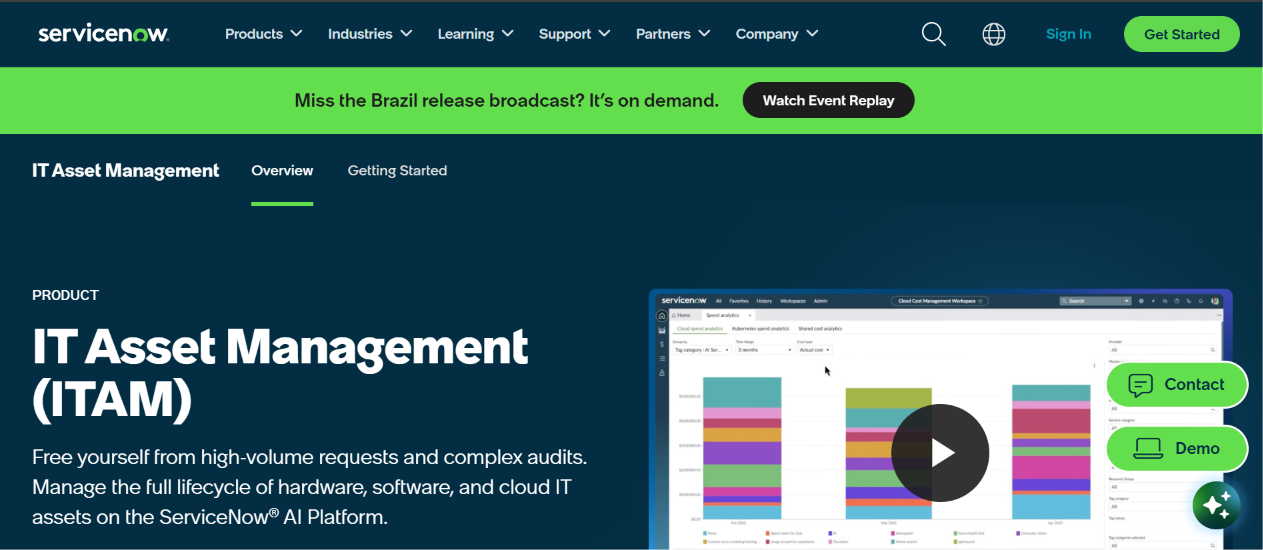
ServiceNow IT Asset Management treats technology assets as part of a wider service platform. It discovers devices automatically, ties them to the CMDB, and links them to incidents, contracts, and licenses.
In addition, the product helps IT leaders control software spend through license compliance and optimization. However, it focuses on IT rather than on trucks, tools, or buildings, so operations teams should look elsewhere.
Features
- Firstly, it discovers hardware and software assets automatically
- Manages hardware lifecycles from procurement to retirement
- Tracks software licenses and compliance
- Handles contracts and vendors
- Finally, it applies AI-driven recommendations
Pros
- Also, the company automates discovery and reconciliation
- Scales to very large environments
- Optimizes software spend
Cons
- Requires broader ServiceNow investment
- Needs specialist administrators
Pricing
ServiceNow uses custom enterprise pricing.
Final verdict: Suited for large IT organizations that manage hardware and software at scale
20. Odoo Accounting

Odoo packages accounting, inventory, purchasing, and more into a modular ERP. Because its accounting app includes fixed assets with automated depreciation entries and disposal workflows, so finance teams manage assets in the same system as invoices and bank reconciliation.
Finally, Odoo stands out for flexibility. Companies can start on the free Community edition, move to Odoo Online, or self-host a customized build. Therefore, technical teams enjoy control, although less technical teams may find the learning curve steep.
Features
- Records fixed assets and automates depreciation entries
- Handles disposals and sales
- In addition, it supports multi-company and multi-currency accounting
- Integrates with inventory, purchasing, and projects
- Finally, it customizes screens with Odoo Studio on the Custom plan
Pros
- Combines ERP modules in one platform
- Offers open-source flexibility
- Supports many countries and e-invoicing rules
Cons
- Presents a steep learning curve
- Lacks specialized physical tracking
Pricing
Odoo offers a free Community edition. On Odoo Online, U.S. list prices show Standard at about $31 per user per month and Custom at about $61 on yearly billing, although introductory promotions, regional price lists, and monthly billing may change the numbers.
Final verdict: Best open-source and customizable option for companies that want one ERP