

A random evening at a boutique fitness studio may look simple from the outside. Inside, a coach has called in sick, eight people are waiting for a spot in the 6 p.m. class, three members want to freeze their memberships, and a new client is trying to buy a class pack from her phone. Each task needs attention, and a spreadsheet or general calendar can only take you so far. Fitness studio booking software brings these tasks into one place.
Clients can book and cancel classes, memberships can renew automatically, attendance stays recorded, and instructors and front-desk staff can see the same schedule. Still, not every platform handles these tasks in the same way. Some have better waitlist tools, while others offer more flexible packages, staff accounts, or payment options. Pricing can also change once you add payment processing fees and paid features.
This guide compares 17 fitness studio booking software platforms, from class-focused systems built for boutique studios to simpler schedulers for solo instructors. Each review looks at the features that matter to fitness studios, along with the pros, cons, pricing, and best fit.
Top 17 Best Fitness Studio Booking Software in 2026
1. Mindbody

Mindbody is one of the best-known names in fitness studio software. Its biggest advantage is its consumer marketplace, which puts studios in front of people searching for fitness, wellness, and beauty services. Mindbody says more than three million people use its marketplace each month.
Beyond the marketplace, Mindbody handles the day-to-day work of running a studio. You can manage classes and appointments, take payments, add booking widgets to your website, and automate membership renewals. It also offers tools for room management, client spot selection, marketing, lead tracking, and multi-location businesses.
The platform becomes more advanced as you move up its plans. Starter covers the basics, while Accelerate adds room and resource management and Ultimate adds automated email and text campaigns. As a result, Mindbody works well for boutique studios that want both client discovery and room to grow.
Features
- Class and appointment scheduling with branded website booking widgets
- Integrated payments with automatic membership renewals
- Late-cancellation and no-show fees
- Client Pick-a-Spot and room or resource management on Accelerate and above
- Automated email and text campaigns and a lead dashboard on Ultimate
- Multi-location management
- More than 100 third-party integrations
Pros
- Unlimited staff logins per location
- A marketplace listing comes with every plan
- One-on-one setup and data migration support with no onboarding fee
- Studios can use a third-party payment processor instead of Mindbody Payments
Cons
- Mindbody only publishes the Starter price, while Accelerate and Ultimate require a sales conversation
- Pricing applies per location, so costs increase as you add studios
- Mindbody charges 20% of a new client’s first purchase, capped at $30, when its app brings in a client you would not otherwise have received
Pricing
- All plans require a quote
- Contract terms depend on the plan and any promotion applied
Best for
Boutique yoga, Pilates, and HIIT studios that want marketplace exposure and room to expand.
Verdict
Mindbody gives studios one of the broadest feature sets in this comparison. However, costs become harder to predict once you move beyond the entry plan. If you choose Mindbody, get a complete written quote before comparing it with platforms that publish their prices.
2. WellnessLiving

WellnessLiving focuses on fitness and wellness studios that want booking, marketing, and client-engagement tools in one place. Unlike many competitors, it publishes prices for all four of its standard plans, which makes budgeting easier.
The platform combines online booking with a branded client portal, staff app, client app, rewards, marketing, reporting, and membership billing. However, the differences between its plans matter. Starter targets smaller operations, while Business and BusinessPro add more marketing, rewards, and lead-management features.
Therefore, studios with several instructors should look beyond the entry plan before making a decision. WellnessLiving makes the most sense for businesses that want clear pricing and built-in marketing and loyalty tools.
Features
- Online class and appointment booking with a branded client web portal
- Branded client app and staff app
- Rewards and loyalty programmes
- Email, SMS, and push marketing tools on higher tiers
- Dashboards and reporting
- Integrated payments with membership billing
Pros
- WellnessLiving publishes all four plan names and prices
- Monthly and annual billing are available
- Marketing and rewards tools are built into the platform
- SMS marketing starts at $19/month for 500 messages
Cons
- Comparison guides report that Starter includes only one staff seat
- The white-label branded app costs extra
- Enterprise pricing is custom
Pricing
- Starter: $69/month
- Business: $199/month
- BusinessPro: $349/month
- Enterprise: Custom pricing
Best for
Growing yoga, Pilates, and fitness studios that want published pricing alongside built-in marketing and loyalty tools.
Verdict
WellnessLiving offers one of the stronger alternatives to Mindbody for studios that want clear pricing. Before choosing the Starter plan, however, check how many staff members need access.
3. Mariana Tek

Mariana Tek focuses on boutique fitness brands rather than general gyms. Its materials specifically highlight studios that offer Pilates and Lagree, yoga, indoor cycling, HIIT, bootcamp, barre, and other group fitness formats.
The platform puts a strong emphasis on the client experience. Studios can offer a branded mobile app, spot-specific booking, detailed reporting, digital waivers, and flexible memberships and class packs. It also supports multi-location businesses.
Mariana Tek offers Core, Core plus Growth, and a Full Growth Bundle. The Core package already includes several features that premium studios need, while the Growth packages add marketing automation and two-way texting. As a result, it suits established brands that want a more branded experience and hands-on onboarding.
Features
- Custom-branded client app for iOS and Android
- Spot-specific booking and advanced waitlist management
- Kiosk check-in, digital waivers, and forms
- Memberships, class packs, and introductory offers
- CRM, insights, and reporting
- Multi-location management
- Retail integration
Pros
- The branded app comes as part of the core product
- The platform supports popular boutique formats such as cycling and Pilates
- Core includes unlimited class schedules and instructors
- Mariana Tek says its rates have no hidden fees
Cons
- Mariana Tek does not publish its prices
- Studios must request a quote through a demo
- The premium positioning may make it too expensive for smaller studios
Pricing
- Custom pricing
- Contact Mariana Tek for a quote
- Pricing depends on studio size, number of locations, and specific needs
Best for
Premium boutique studios and multi-location brands that want a fully branded client experience.
Verdict
Mariana Tek stands out when the client experience is central to the studio’s brand. Smaller studios should compare its custom pricing with platforms that publish their rates.
4. Walla
Walla targets boutique studios, particularly yoga and Pilates businesses. It brings scheduling, client profiles, memberships, packages, payments, waivers, staff management, and reporting into one platform. It also offers free data migration on every plan.
The platform uses three main tiers. Lite covers the basics, while Core adds reporting and class-management tools. Pro then adds marketing automation, lead tracking, and automated subscription management.
However, Walla does not offer a solo-instructor plan, and its entry price is relatively high. Therefore, it works better for an established studio than for someone just starting out.
Features
- Class scheduling and booking with a client app
- Memberships, packages, and paymentsmanagement
- Digital waivers and staff
- Dynamic reporting on Core and Pro
- Marketing automation and lead tracking on Pro
- Automated subscription management on Pro
Pros
- Free data migration on all plans
- A clear path from basic scheduling to marketing automation
- Annual billing reduces the monthly rate
Cons
- The entry price may be high for a new or very small studio
- The branded app, custom website, and two-way texting cost extra
- Pricing applies per location
- Additional locations can increase the cost
Pricing
- Core: $299/month
- Pro: $599/month
- Enterprise: Custom
Best for
Established single-location yoga and Pilates studios that want retention and marketing tools.
Verdict
Walla offers a polished set of tools for boutique studios, but its pricing reflects that positioning. Studios should make sure they will use its reporting and automation features before paying for the higher tiers.
5. Glofox

Glofox, now part of ABC Fitness, takes a class-first approach. Its feature set covers class, course, and event scheduling, dynamic waitlists, attendance tracking, family accounts, private classes, memberships, facility management, personal training appointments, and payroll.
It also gives studios more control over memberships. For example, businesses can pause memberships, use e-agreements, and automatically retry failed payments. Clients can book through a website, social booking links, or the Glofox app.
Because of that broad feature set, Glofox works well for class-based studios that need more than simple scheduling.
Features
- Class, course, and event scheduling with dynamic waitlists
- Attendance tracking and check-in barcodes
- Family accounts
- Membership pauses and future pauses
- Digital sign-up, waivers, and e-agreements
- Automated failed-payment retries
- Client app, staff app, and kiosk
Pros
- Strong class and membership controls
- Strike system for late cancellations
- Booking through websites, social links, and the app
- Payroll and facility management are included in the feature set
- Multi-location reporting is available as an add-on
Cons
- Glofox only publishes a starting price
- Each tier requires a quote
- CRM and multi-location reporting cost extra
Pricing
- Plans start at $99/month
- Essential, Boost, Elite, and Enterprise require a quote
- Payment processing fees apply
- EU pricing differs from US pricing
Best for
Class-based gyms and studios that need detailed membership and attendance controls.
Verdict
Glofox has the features to handle a busy studio, but its pricing makes comparisons harder. Ask for a complete quote that includes every add-on you need.
6. Pike13

Pike13 takes a different approach to pricing. Instead of charging based on staff or client numbers, it includes unlimited staff seats and client profiles on all three plans. That can make it more attractive as a studio grows.
The platform combines classes, courses, and appointments in one schedule. Essential includes automated waitlists, family accounts, billing, check-ins, and gift cards. Advanced adds website widgets, multi-location management, payroll, waivers, email marketing, SMS reminders, and room bookings. Premium then adds API access, member progress tracking, and a branded app.
As a result, Pike13 suits studios that offer different types of services and want predictable pricing as their team grows.
Features
- Classes, courses, and appointments in one schedule
- Automated waitlist management
- Family accounts
- Automated billing and collections
- Digital waivers and payroll on Advanced
- SMS reminders and email marketing on Advanced
- Branded iOS and Android app on Premium
Pros
- Unlimited staff and clients on every plan
- Locations under common ownership can share one flat-rate plan
- Dedicated onboarding specialist and data transfer
- Monthly and annual billing are available
Cons
- Waivers, SMS, and email marketing require Advanced
- The branded app requires Premium or a paid add-on
- The free trial lasts seven days
Pricing
- Essential: $139/month
- Advanced: $195/month
- Premium: $249/month
Best for
Studios that combine classes, courses, and appointments and want predictable pricing as they hire.
Verdict
Pike13 is one of the more transparent platforms in this list. Its unlimited staff and client profiles also make it worth considering for growing studios.
7. Punchpass

Punchpass focuses on one thing: making class booking simple for independent studios. It supports class packs, punch cards, memberships, drop-ins, and time-based passes without trying to become a complete gym-management system.
The platform also gives studios control over who can join classes. For example, you can require an account and an active pass for regular classes while leaving introductory classes open to new clients.
In addition, Punchpass includes unlimited staff and instructors on every plan and supports virtual classes through Zoom. That makes it a practical choice for smaller studios that do not need a large feature stack.
Features
- Class packs, punch cards, memberships, drop-ins, and time-based passes
- Account and active-pass requirements for regular classes
- Online booking through your website
- Unlimited staff and instructors
- Zoom-based virtual classes on all plans
- Free data migration
Pros
- All three plans have published prices
- Plans are month to month
- No platform transaction fees
- Unlimited instructors do not increase the subscription price
- 14-day trial with no credit card
Cons
- The platform targets independent studios rather than large multi-location brands
- Some advanced integrations require higher plans
Pricing
- Grow: $59/month
- Flow: $99/month
- Pro: $149/month
Best for
Small yoga and Pilates studios that want simple class booking and pass management.
Verdict
Punchpass offers one of the clearest pricing structures in this comparison. It works especially well for smaller studios that do not need complex multi-location management.
8. Momence
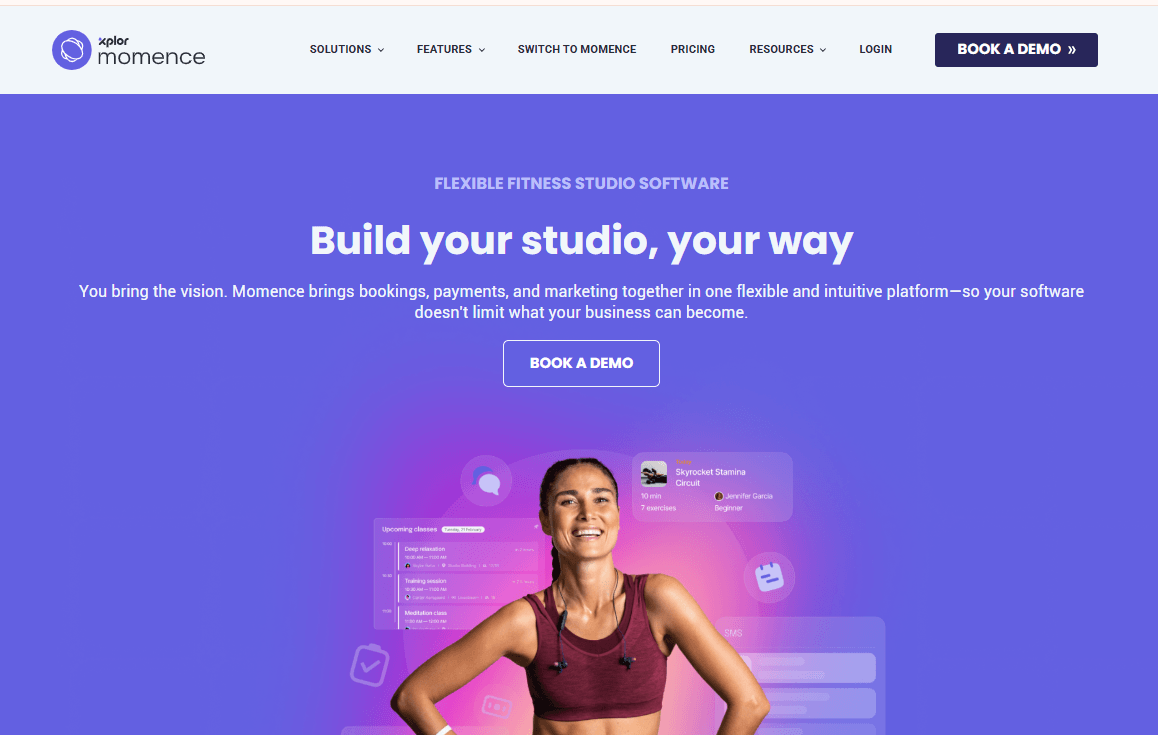
Momence positions itself as an all-in-one platform for studios, gyms, spas, and dance schools. It combines class scheduling, recurring classes, memberships, packages, waitlists, point of sale, marketing, automation, reporting, and on-demand content.
The platform also supports branded booking pages and mobile apps. As a result, studios can manage both live classes and digital content from the same system.
However, pricing requires more work to confirm. Momence does not clearly publish a current price on its own pricing page, so studios should request a quote and confirm transaction fees before signing up.
Features
- Class scheduling with recurring classes and waitlists
- Memberships, class packs, and recurring billing
- Email and SMS campaigns
- Marketing automations
- Point of sale and online payments
- Branded booking pages and mobile apps
- On-demand content hosting
Pros
- Booking, marketing, and automation work in one system
- Supports live classes and on-demand content
- Public API available for custom integrations
Cons
- The pricing page requires a trial or demo before showing a current price
- Recent comparison guides report additional online card fees, but these were not confirmed on Momence’s own site
- Some Capterra reviewers describe navigation and class management as clunky
Pricing
- Contact Momence for a current quote
Best for
Boutique studios that want booking, memberships, and marketing automation in one platform.
Verdict
Momence has the right mix of features for boutique studios, but pricing remains a question mark. Get the full plan and transaction-fee details in writing before you commit.
9. Arketa

Arketa focuses on studios that combine in-person classes with video. Its biggest difference is that every plan includes unlimited on-demand video, while many competing platforms charge extra for video or require a separate service.
Arketa separates its pricing into Individual and Studio plans. Individual plans have published prices and suit solo instructors, while Studio Core, Studio Growth, and Studio Suite require a quote. The higher Studio plans add marketing automation, branded mobile apps, and custom websites.
Therefore, Arketa makes more sense for studios that want to build a business around both live and digital classes.
Features
- Class scheduling and online booking
- Unlimited on-demand video on every plan
- Marketing automation and email tools on Studio plans
- Branded mobile app and custom website on higher Studio plans
- CRM, point of sale, and payroll reporting
- Month-to-month billing
Pros
- Video hosting comes with every plan
- Individual plans have published prices
- Individual plans are billed month to month
- Studio plans support unlimited team members, locations, and clients
Cons
- Individual plans charge a 3% Arketa transaction fee in addition to Stripe processing
- Studio pricing requires a quote
- One Capterra reviewer reported that the Individual plan was not well suited to in-person studio spaces
Pricing
- Individual plans: $49
- Other plans require custom pricing
Best for
Hybrid and virtual-first studios that sell live classes and on-demand video.
Verdict
Arketa is a strong option for studios that rely heavily on video. However, an in-person-only studio should compare it closely with class-first platforms.
10. TeamUp

TeamUp focuses on group fitness, dance, and class-based businesses. Clients can book through a website calendar or the TeamUp member app, where they can also browse schedules, register for classes, join waitlists, and manage upcoming sessions.
Its automated waitlist is one of its strongest features. When someone cancels, the system can fill the open spot without requiring staff to manage the list manually. TeamUp also supports memberships, class packs, drop-ins, family accounts, and reports.
The main pricing consideration is growth. TeamUp charges according to active customers, so your subscription can increase as your client base grows.
Features
- Class and course builder
- Website booking widget
- Member app
- Automated waitlists with push notifications
- Recurring memberships, class packs, and drop-ins
- Family support
- Attendance, billing, and membership reports
- Free data migration
Pros
- All features come with every plan
- No feature tiers
- Month-to-month subscription
- No setup fees, according to a pricing tracker
- 30-day free trial
Cons
- Pricing increases with the number of active customers
- The entry tier covers up to 100 active customers
Pricing
- FREE: $0
- PLUS: $12/month $15/month when billed monthly
- PRO: $30/month $35/month when billed monthly
- BUSINESS: $70/month $85/month when billed monthly
- ENTERPRISE: $125/month$160 billed monthly
Best for
Group fitness, dance, and yoga studios with a few hundred active clients or fewer.
Verdict
TeamUp offers strong class booking and waitlist tools. Before choosing it, calculate how the subscription would change as your active customer count grows.
11. PushPress

PushPress started with CrossFit gyms and remains a strong option for CrossFit boxes and functional fitness gyms. Its core product covers scheduling, billing, and member management, while optional modules add a member app, staff app, workout programming, and CRM tools.
One feature sets PushPress apart: its Core plan is free. Paid plans then offer lower payment processing rates rather than simply unlocking completely different software features.
As a result, PushPress gives new gyms a low-cost way to get started, while larger gyms can add more tools as their needs grow.
Features
- Class scheduling and attendance
- Member management
- Recurring billing and payment processing
- Member app and staff app
- Workout programming through the Train add-on
- Lead management through the Grow add-on
- Reporting and automations on paid plans
Pros
- Free Core plan
- Paid plans offer lower processing rates
- Clear monthly prices for Core plans
Cons
- CRM, workout programming, and branded app features cost extra
- Free-plan processing rates are higher than paid plans
- Add-ons can significantly increase the total monthly cost
Pricing
- Core: Free
- Core Pro: $159/month
- Core Max: $229/month
Best for
CrossFit and functional fitness gyms that want to start with a free plan and add features later.
Verdict
PushPress gives new gyms a relatively low-risk way to start. However, calculate the cost of the add-ons and payment processing before treating the free plan as your total software cost.
12. Zen Planner

Zen Planner is a membership-management platform from Daxko. It has a strong presence among martial arts schools and CrossFit-style gyms, where recurring memberships form a large part of the business model.
The platform handles memberships, billing, class scheduling, notifications, workflow automation, and reporting. It also integrates with SugarWOD for workout tracking. However, Zen Planner sells some features, such as websites, marketing automation, and branded apps, separately.
Therefore, it works best for membership-driven gyms that want to add marketing and other tools as they grow.
Features
- Membership management and recurring billing
- Class scheduling and online scheduling
- Notifications and workflow automation
- SugarWOD integration
- Reporting
- Website, marketing, and branded app extensions
Pros
- Built around recurring memberships and billing
- Studios can add marketing tools as needed
- Pricing is tied to active member counts, according to G2
Cons
- Marketing automation and websites cost extra
- Third-party tracking sites list the marketing extension at $249/month and the website at $99/month
- Zen Planner’s official pricing could not be confirmed
Pricing
- Starting at $99/month
Best for
Membership-driven gyms and martial arts schools with recurring revenue.
Verdict
Zen Planner is a practical choice for gyms that prioritise memberships and billing. Before choosing it, confirm the cost of the extensions you need.
13. Gymdesk

Gymdesk targets owner-operated gyms, martial arts schools, CrossFit boxes, and gymnastics centres. It charges according to active member numbers, while every plan includes the same core feature set and unlimited staff accounts.
The platform focuses on membership plans, contracts, recurring billing, check-ins, and schedules. It also includes a responsive gym website and lets businesses choose their payment processor.
Because every plan includes all features, Gymdesk keeps pricing relatively straightforward. However, its booking tools focus more on memberships and check-ins than the class-heavy workflows that boutique studios often need.
Features
- Membership plans and contracts
- Recurring billing
- Member check-ins and schedules
- Unlimited staff accounts
- Responsive gym website
- Choice of payment processor
- Branded member app as an add-on
Pros
- Every feature comes with every plan
- Month-to-month billing
- No contracts or cancellation fees
- 30-day free trial with no credit card
- Predictable pricing between member thresholds
Cons
- Plans cap at 400 active members before custom pricing applies
- Booking focuses more on members and check-ins than boutique class workflows
- The branded app costs extra
Pricing
- Micro Gym: $75/month for up to 50 active members
- Small Gym: $100/month for 51 to 100 active members
- Medium Gym: $150/month for 101 to 200 active members
- Large Gym: $200/month for 201 to 400 active members
- Enterprise: Custom pricing
- Branded app: $100/month add-on once live
Best for
Small gyms and martial arts schools that want predictable pricing and the same core features at every tier.
Verdict
Gymdesk makes it easy to estimate your software costs. However, studios built around frequent group classes may find class-focused platforms a better fit.
14. Wodify

Wodify grew out of CrossFit and functional fitness, and it still focuses heavily on those types of gyms. Its entry plan covers billing, scheduling, client management, digital waivers, contracts, and a shared app for clients and staff.
The middle tier adds lead management, insights, family groups, and pre-built automations. The top tier then adds performance tracking, a custom website, unlimited automations, and one-day payouts.
As a result, Wodify works well for gyms that want coaching and performance tools alongside their booking and billing system.
Features
- Billing, scheduling, and client management
- Digital waivers and contracts
- Client and staff app
- Lead management and insights dashboards on mid-tier plans
- Performance tracking on the top tier
- Pre-built automations
- Email campaigns
Pros
- Clear progression from basic operations to advanced automation
- Family groups and shared payments on the middle tier
- Performance tracking designed for CrossFit-style training
Cons
- Third-party listings disagree on pricing
- The conflicting prices make budgeting difficult
- Lead management and automations require higher tiers
Pricing
- Contact Wodify for a current quote
Best for
CrossFit and functional fitness gyms that want performance tracking alongside booking and billing.
Verdict
Wodify makes sense for gyms that need more than scheduling and billing. However, get the exact price for the plan and features you need before signing up.
15. Vagaro

Vagaro serves salons, spas, and fitness businesses from the same platform. For fitness studios, it supports online booking, class schedules, recurring sessions, attendance tracking, memberships, packages, and gift certificates.
It also includes marketplace exposure, which can help businesses reach new clients. However, Vagaro charges based on bookable calendars. That can keep costs low for a solo instructor but increase the bill as you add instructors or rooms.
Therefore, Vagaro works best for small studios and independent trainers that offer both classes and one-on-one appointments.
Features
- Online class and appointment booking
- Recurring sessions
- Attendance tracking
- Memberships and packages
- Gift certificates
- Marketplace listing
- Website builder and text marketing as add-ons
- Live-stream classes as an add-on
Pros
- Low starting price for a single calendar
- Handles classes and one-on-one appointments in one platform
- Marketplace can help attract new clients
Cons
- Each instructor or room may require a separate calendar
- Costs can rise as the team grows
- The platform focuses heavily on beauty and wellness appointments
- One G2 reviewer described the calendar as dated
Pricing
- $23.99/month for one location
- Multi-location businesses require a quote
Best for
Small studios and independent trainers that sell both classes and appointments.
Verdict
Vagaro offers a low-cost entry point for smaller businesses. However, studios with several instructors should compare the total calendar costs with class-focused platforms.
16. Virtuagym

Virtuagym combines club management, scheduling, memberships, community features, and personal coaching tools. It also supports recurring billing, access control, a custom business portal, and a white-label member app.
This makes it more suited to gyms and clubs that want to manage several parts of their operation from one system. It can also support multiple clubs as the business grows.
However, Virtuagym uses custom pricing, so businesses need to speak with the provider before they can compare the full cost with other platforms.
Features
- Membership management and recurring billing
- Class scheduling
- Member engagement tools
- Client access control
- White-label member app
- Workout and nutrition tools
- Multi-club support on higher tiers
Pros
- Strong white-label app offering
- Combines club management with coaching tools
- Can support businesses that grow from one studio to multiple clubs
Cons
- Virtuagym does not publish standard pricing
- Buyers must request a demo and quote
- Some reviewers report annual commitments and strict refund policies
Pricing
- Custom pricing
- Contact Virtuagym for a quote
Best for
Gyms and clubs that need memberships, access control, coaching tools, and a branded app.
Verdict
Virtuagym fits larger facility-style operations better than small boutique studios. Request a detailed written quote before comparing it with other options.
17. Acuity Scheduling

Acuity Scheduling is not a fitness-specific platform, but it can work well for solo instructors and personal trainers. Instead of focusing on memberships and large group classes, it focuses on appointments and self-scheduling.
Clients can book services online, while businesses can accept payments through Stripe, Square, and PayPal. Higher plans add packages, gift certificates, group appointments, and SMS reminders.
As a result, Acuity makes more sense for businesses that mainly sell one-on-one sessions or small group bookings. Once classes and memberships become the centre of the business, a dedicated fitness platform will usually offer more useful tools.
Features
- Online self-scheduling
- Unlimited services
- Packages and gift certificates on Standard
- Group appointments
- SMS reminders on higher tiers
- Payments through Stripe, Square, and PayPal
- Up to 36 calendars on Premium
Pros
- Lowest starting price in this comparison
- Per-account pricing keeps costs predictable
- Seven-day free trial
Cons
- Does not include fitness-specific membership or class-management tools
- No dedicated member app comparable to studio-focused platforms
- Less suitable for studios that rely heavily on group classes
Pricing
- Starter: $16/month
- Standard: $27/month
- Premium: $49/month
- Enterprise: Custom pricing
Best for
Solo instructors and personal trainers that need simple appointment and package booking.
Verdict
Acuity is one of the simplest and cheapest ways to accept bookings. However, studios should consider moving to a fitness-specific platform once classes, memberships, and attendance become central to the business.
How to choose fitness studio booking software
1. What type of classes do you run?
First, look at the way your studio makes money. Class-based studios need capacity limits, waitlists, spot selection, and pass rules. Appointment-based businesses need flexible one-on-one availability. Choose software that matches the service you sell most.
2. Do you need memberships or simple bookings?
Basic booking software handles reservations and payments. Full studio-management platforms go further by handling contracts, recurring billing, retention, reporting, and marketing. If memberships bring in most of your revenue, you will probably need the second type.
3. How many instructors and classes do you manage?
Next, check how the platform charges for growth. Seat-based pricing can become expensive when you add instructors, while other platforms charge based on calendars or active clients. Compare these limits before you hire more staff.
4. Do you need recurring memberships and payments?
If your studio relies on memberships, look for automatic renewals, failed-payment retries, and membership pause options. These features can reduce the amount of payment and membership work your team handles manually.
5. How do clients book?
Consider the booking experience from the client’s side. Check whether the software offers a website widget, mobile app, client portal, and social booking links. Also, find out whether the branded app comes with your plan or costs extra.
6. How does the software handle cancellations and waitlists?
A good booking system should do more than record cancellations. Look for late-cancellation fees, no-show rules, and automated waitlists that fill open spots without requiring staff to manage them manually.
7. Does it integrate with your existing tools?
Before choosing a platform, check its integrations. Make sure it works with the accounting, email, payment, and access-control tools you already use. Also, check which integrations come with your plan.
8. What will the software actually cost?
Finally, calculate the full cost rather than relying on the advertised starting price. Add the subscription, payment processing, setup or migration fees, branded apps, websites, extra locations, additional users, and other paid features. That gives you a much more realistic monthly cost.
FAQs
What is fitness studio booking software?
Fitness studio booking software lets clients book classes online while studios manage schedules, memberships, payments, and attendance. Most platforms also offer waitlists, reminders, and reporting. Some go further with branded apps, marketing tools, and client-management features.
What is the best booking software for a fitness studio?
The right option depends on how your studio operates. Mindbody offers the broadest feature set, Punchpass suits small studios, Mariana Tek targets premium boutiques, and PushPress works well for CrossFit gyms. Compare the features, plan limits, and total monthly cost before choosing.
What software do fitness studios use for class bookings?
Fitness studios commonly use platforms such as Mindbody, WellnessLiving, Glofox, Walla, Pike13, TeamUp, and Punchpass. Solo instructors may prefer simpler tools such as Acuity Scheduling.
How much does fitness studio booking software cost?
Published starting prices in this guide range from $16/month for a simple scheduler to around $200/month for some boutique studio platforms. Several providers use custom pricing for higher tiers. Payment processing and add-ons can also increase the final cost.
Can fitness studio booking software manage memberships?
Yes. Most studio-focused platforms can manage recurring billing, class packs, membership pauses, and renewals. Simpler schedulers such as Acuity can handle packages but do not offer the same depth of membership management.
What is the difference between fitness studio booking software and appointment scheduling software?
Fitness studio booking software focuses on classes, capacity limits, waitlists, attendance, and memberships. Appointment scheduling software focuses mainly on individual time slots. As a result, appointment software usually costs less but may not work as well for studios built around group classes.
Conclusion
The best fitness studio booking software depends on how your studio operates and what you need the software to handle. Mindbody is a strong overall choice for studios that want marketplace exposure and room to grow, while Mariana Tek and Walla suit boutique brands that put more emphasis on the client experience.
For smaller studios, simplicity and cost may matter more. In that case, Punchpass, Gymdesk, or TeamUp may be a better fit. Meanwhile, larger studios that need deeper management and automation can look at WellnessLiving, Pike13, or higher Mindbody tiers.
Before you buy, compare the actual plan limits, payment processing rates, and add-on costs. For any provider that does not publish its pricing, ask for a written quote that lists everything you need. Finally, use a free trial where one is available so you can test the booking experience before committing.